|
#1
 02-01-2023, 05:30
|
||||
|
||||
 Metal Gear Solid V: The Phantom Pain
Metal Gear Solid V: The Phantom Pain [?xDVD5]
Credits: --CIU By:Yener90 --InstallerScript: CIU 3.0.0.2 --Contributors:BAMsE; Razor12911; Simorq; KaktoR; Cesar82 CIU 3.0.0.2 --CLS-DiskSpan.dll R3 by Razor12911, modified version by Cesar82 --DiskSpan_GUI V2+ by Cesar82 Graphic found Ingame and Online Arts by mausschieber Version History: Code:
Version 1.0.0 - Initial Release (50 views before) ; Version 1.0.1 - Updated to new Script and DSG ; - Added CMD Cammands ; Instructions: 1.-- Install Game, update to latest version + No-DVD. 2.-- Download the Conversion and extract to HD, (not in game folder) 2a.- Move _CommonRedist to Conversion output folder. (Last DVD) Code:
[Launch1]
-----------------------------------------------------
Name=DirectX (Jun 2010)
Exe1={src}\_CommonRedist\DirectX\Jun2010\DXSETUP.exe
Argument=/silent
BeforeInstall=0
Checked=0

[Launch2]
Name=Microsoft Visual C++ 2012
Exe1={src}\_CommonRedist\vcredist\2012\vcredist_x86.exe
Exe2={src}\_CommonRedist\vcredist\2012\vcredist_x64.exe
Argument=/passive /norestart
BeforeInstall=0
Checked=0
4.-- Test the conversion, before burning ISO.
__________________
It would be nice if you appreciate my work with the thanks Button Last edited by mausschieber; 16-09-2026 at 12:54. Reason: Updated to new Script and DSG 
|
| The Following 6 Users Say Thank You to mausschieber For This Useful Post: | ||
Cesar82 (02-01-2023), Danziel123 (03-01-2023), Gls74 (13-09-2026), Jarmen_Kell (13-09-2026), Vladislav989 (04-01-2023), xanander (20-09-2026) | ||
| Sponsored Links |
|
#2
03-01-2023, 01:41
|
|||
|
|||
|
Thank you
 Quote:
|
| The Following User Says Thank You to Danziel123 For This Useful Post: | ||
mausschieber (03-01-2023) | ||
|
#3
13-09-2026, 12:12
|
||||
|
||||
|
- Updated to new Script and DSG
__________________
It would be nice if you appreciate my work with the thanks Button
|
|
#4
13-09-2026, 12:32
|
|||
|
|||
 Thank you for sparing your valuable time. Mausschieber
Quote:
Mausschieber
|
| The Following 2 Users Say Thank You to bird2026 For This Useful Post: | ||
Jarmen_Kell (14-09-2026), mausschieber (14-09-2026) | ||
|
#5
13-09-2026, 16:00
|
|||
|
|||
|
------------------------------------------------------------------------------------------
------------------------------- CONVERSION DATE 2026/09/13 ------------------------------- ------------------------------------------------------------------------------------------ 21:58:57 - You have chosen the BD25 type for the media size. 21:58:57 - ISO images will not be created when conversion is complete. 21:58:57 - The computer will remain on when the conversion is complete. 21:58:57 - Selected ARC/DS method for Data1a-01.bin was: xtool:mzlib:dd3:l10,d128mb 21:58:57 - Selected ARC/DS method for Data1b-01.bin was: xtool:mflac,l8:dd3:l10,d128mb ------------------------------------------------------------------------------------------------------- 21:58:57 - Compression initialized in 13/09/2026 at 21:58:57. 21:58:57 - Executing external file (Call Before 1a)... 22:14:22 - Starting Data1a-01.bin archive creation. 22:29:05 - Moving Data1a-01.bin file to media folder. 22:29:07 - Starting Data1b-01.bin archive creation. 22:30:48 - Moving Data1b-01.bin file to media folder. 22:30:48 - Executing external file (Call After 1b)... 22:37:32 - Compression finished in 13/09/2026 at 22:37:32. ------------------------------------------------------------------------------------------------------- 22:37:32 - Getting size of the game: Metal Gear Solid V The Phantom Pain 22:37:32 - » Installation folder size: 27.30 GB 22:37:32 - » Data1a-01.bin file size: 9.42 GB 22:37:32 - » Data1b-01.bin file size: 2.55 GB 22:37:32 - » Compressed game size: 11.97 GB (Ratio 43.86%) ------------------------------------------------------------------------------------------------------- 22:37:32 - Overall input size: 27.30 GB 22:37:32 - Overall output size: 11.97 GB (Ratio 43.86%) 22:37:32 - Overall conversion time: 00:38:34 22:37:32 - Overall conversion discs: 1 BD25 -------------------------------------------------------------------------------------------------------
|
| The Following User Says Thank You to Gillian For This Useful Post: | ||
mausschieber (14-09-2026) | ||
|
#6
15-09-2026, 15:51
|
|||
|
|||
|
Hello KaktoR. I compressed *Metal Gear Solid V: The Phantom Pain* using the DSG Module 2.0.2.4 version; however, the installation fails when I use the setup wizard created by mausschieber. The game files get corrupted because they do not revert to their original state during the restoration process following the compression of the game files and audio assets.
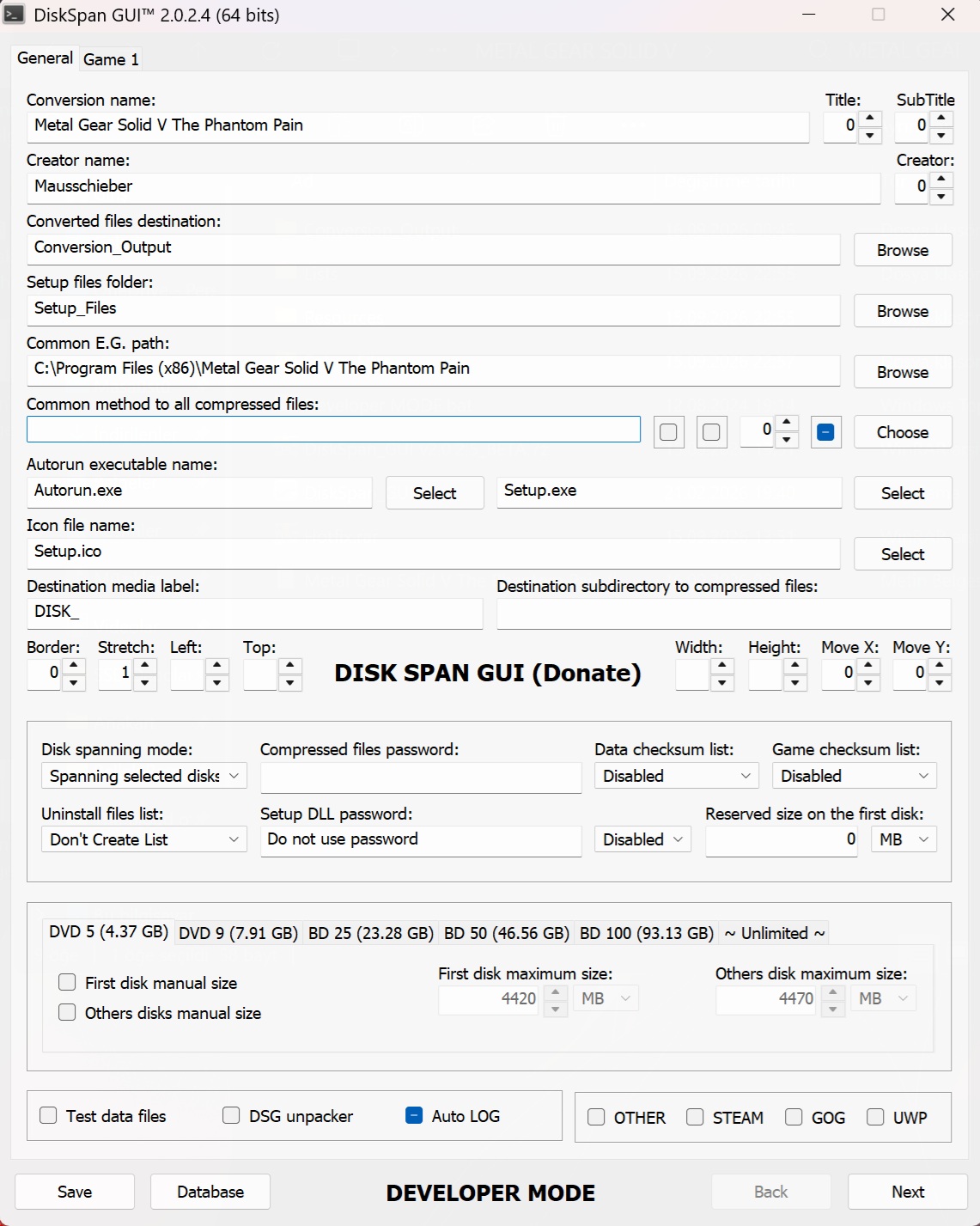 [ [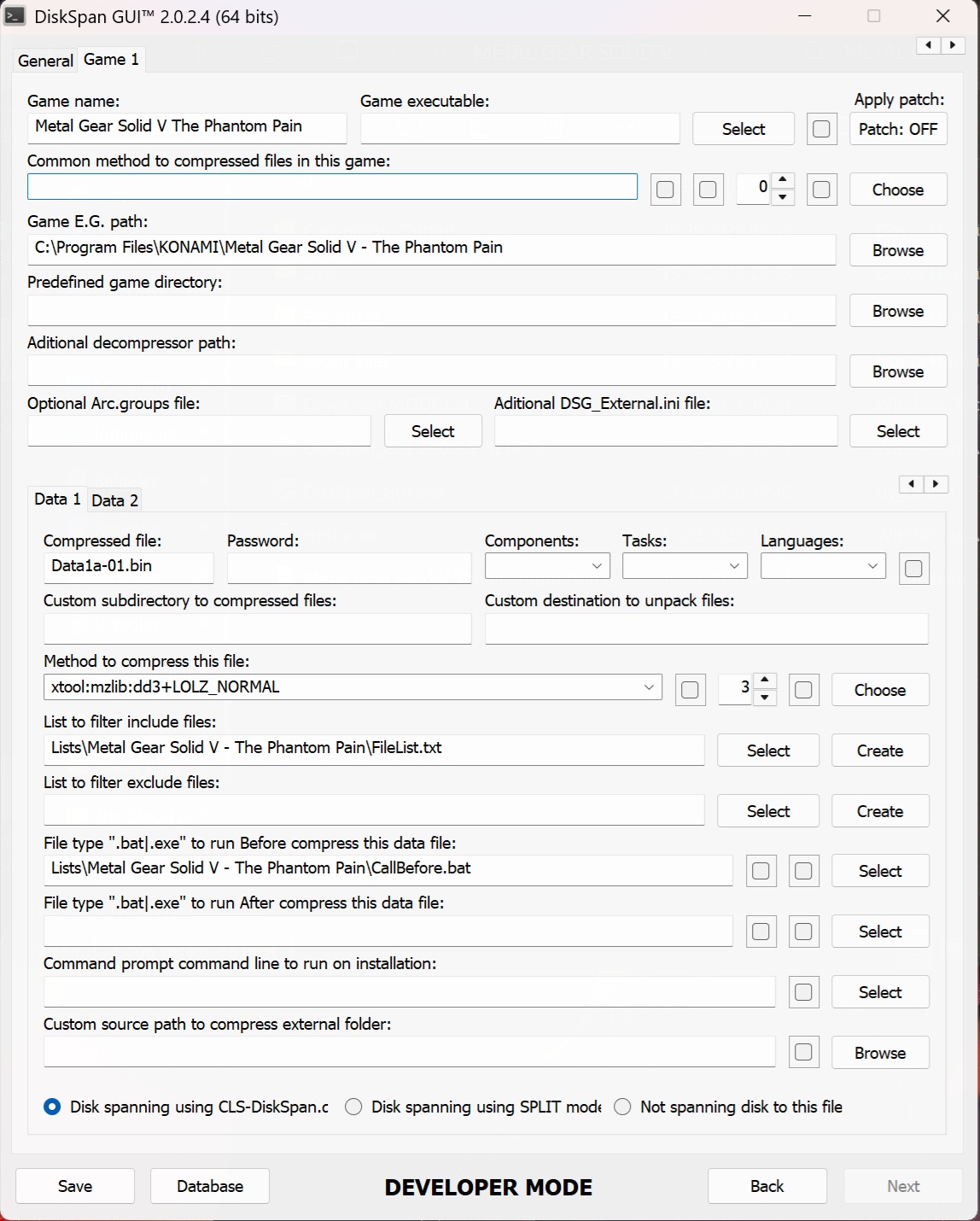 [ [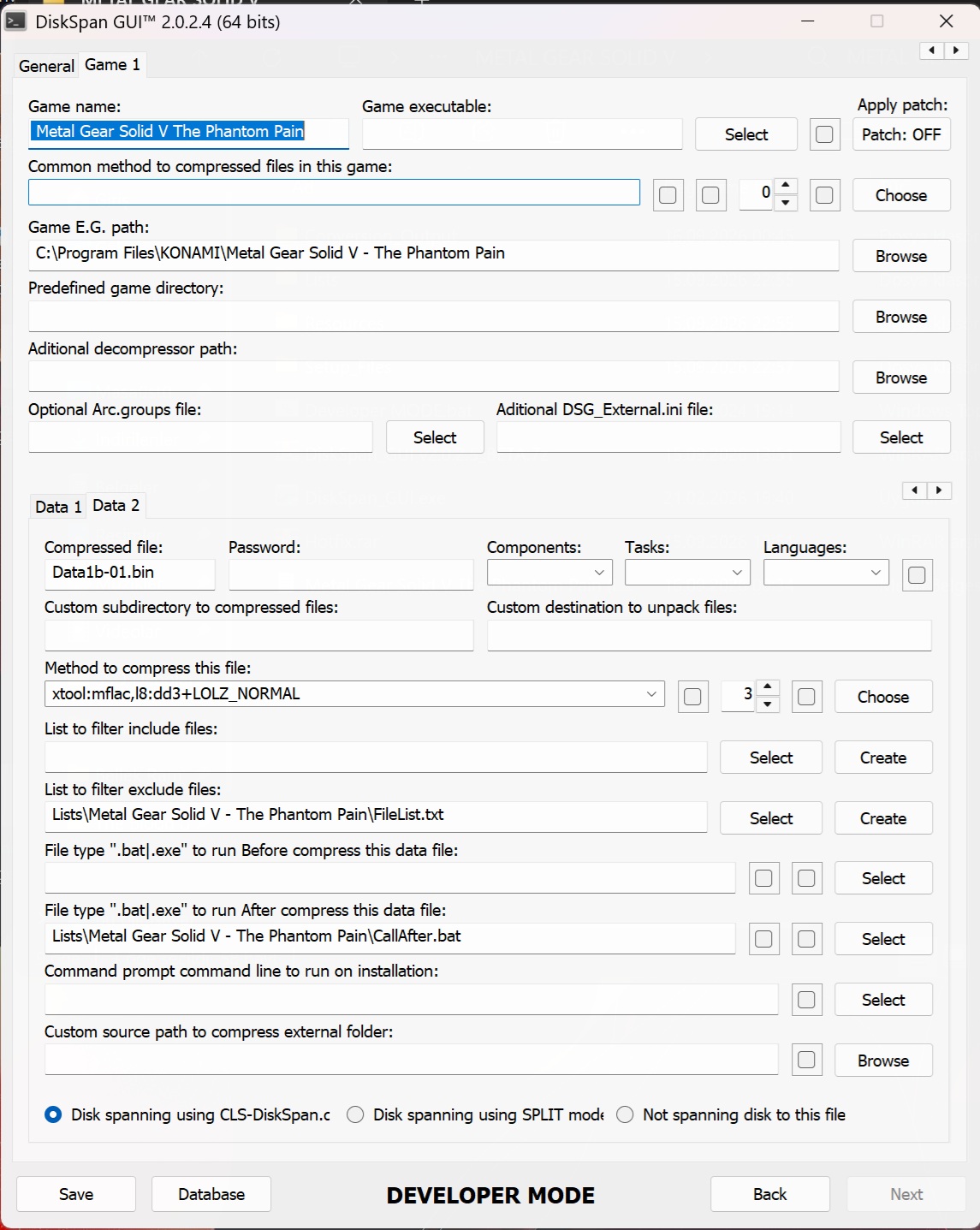 [ [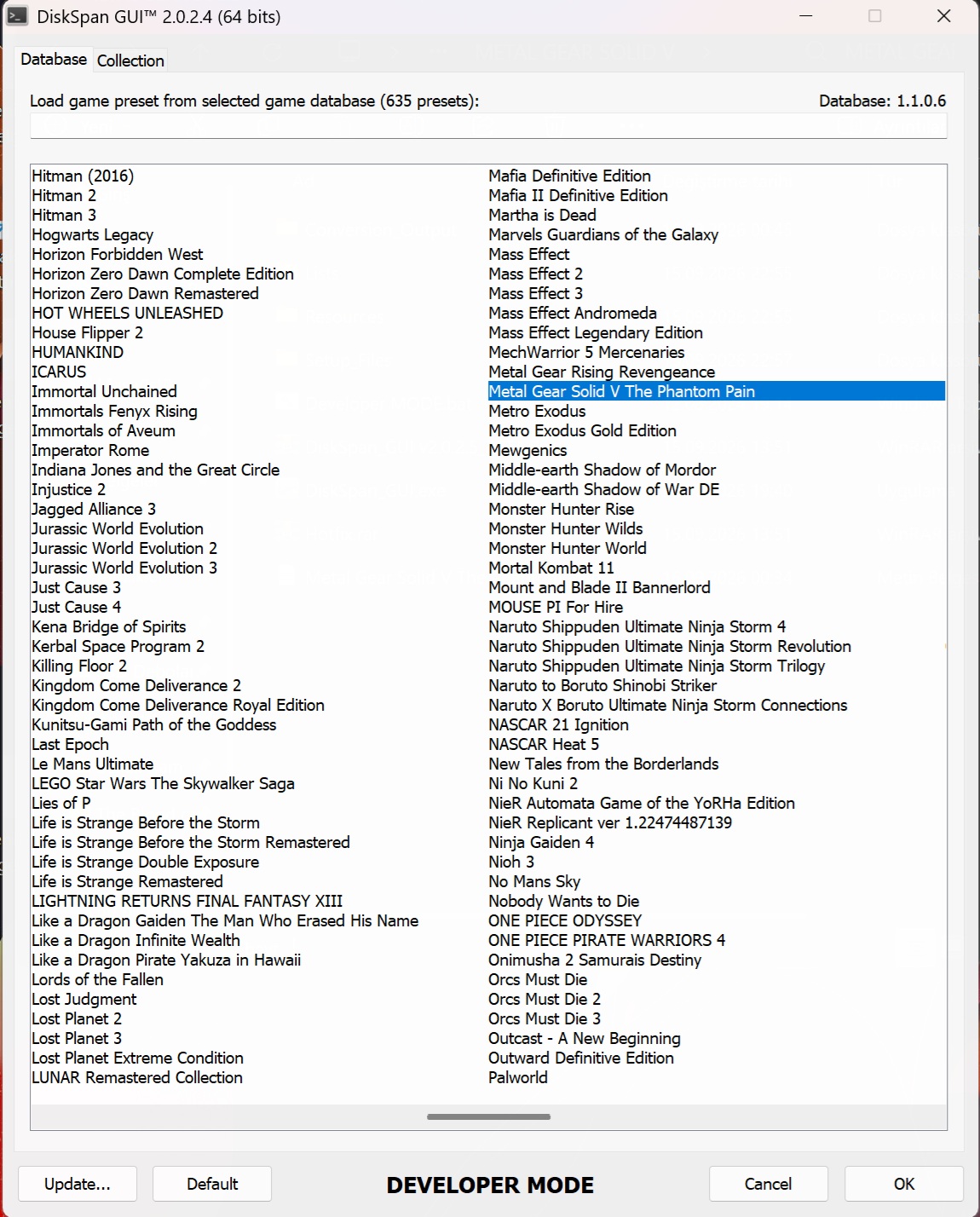 [ [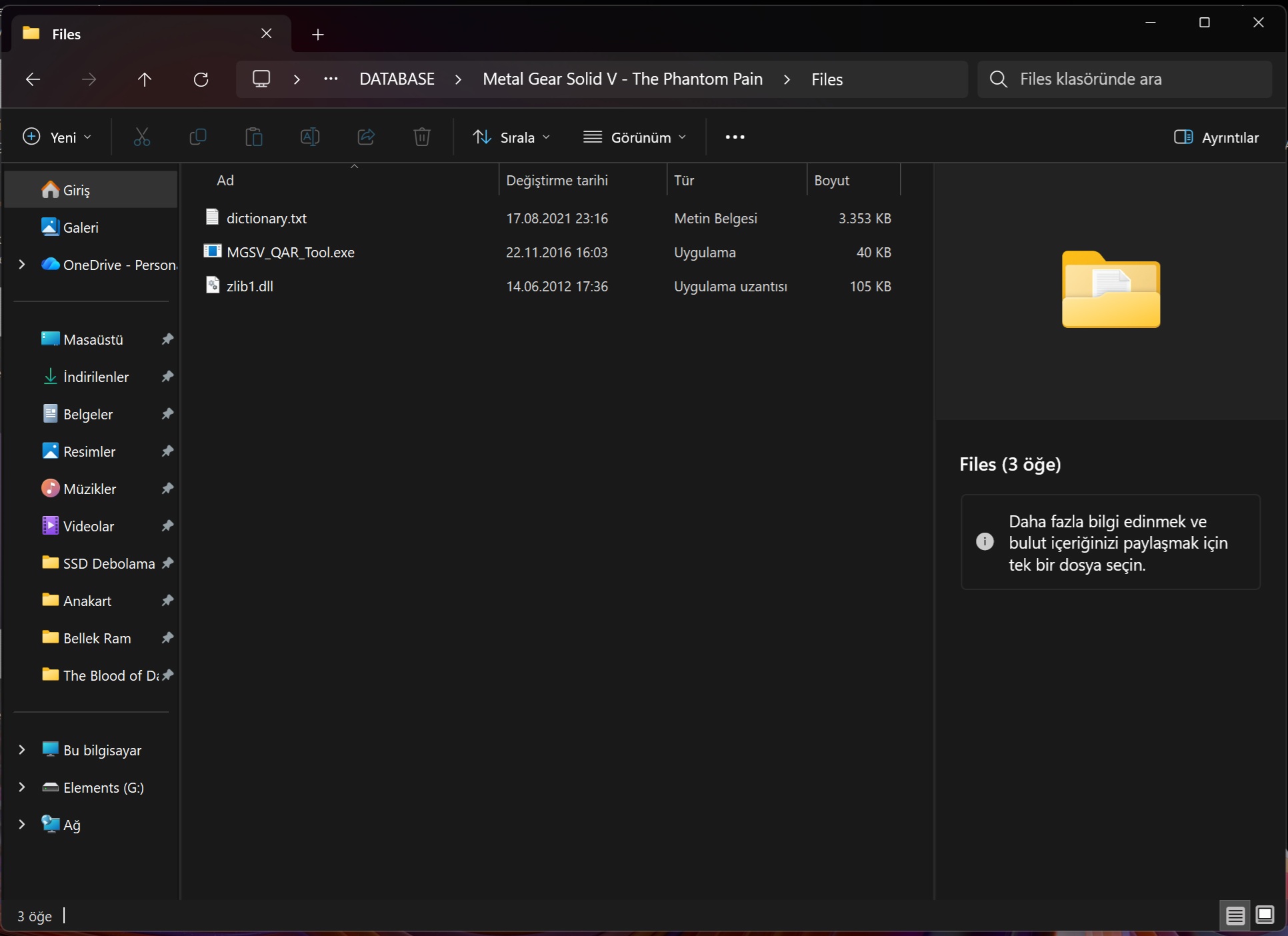 [ [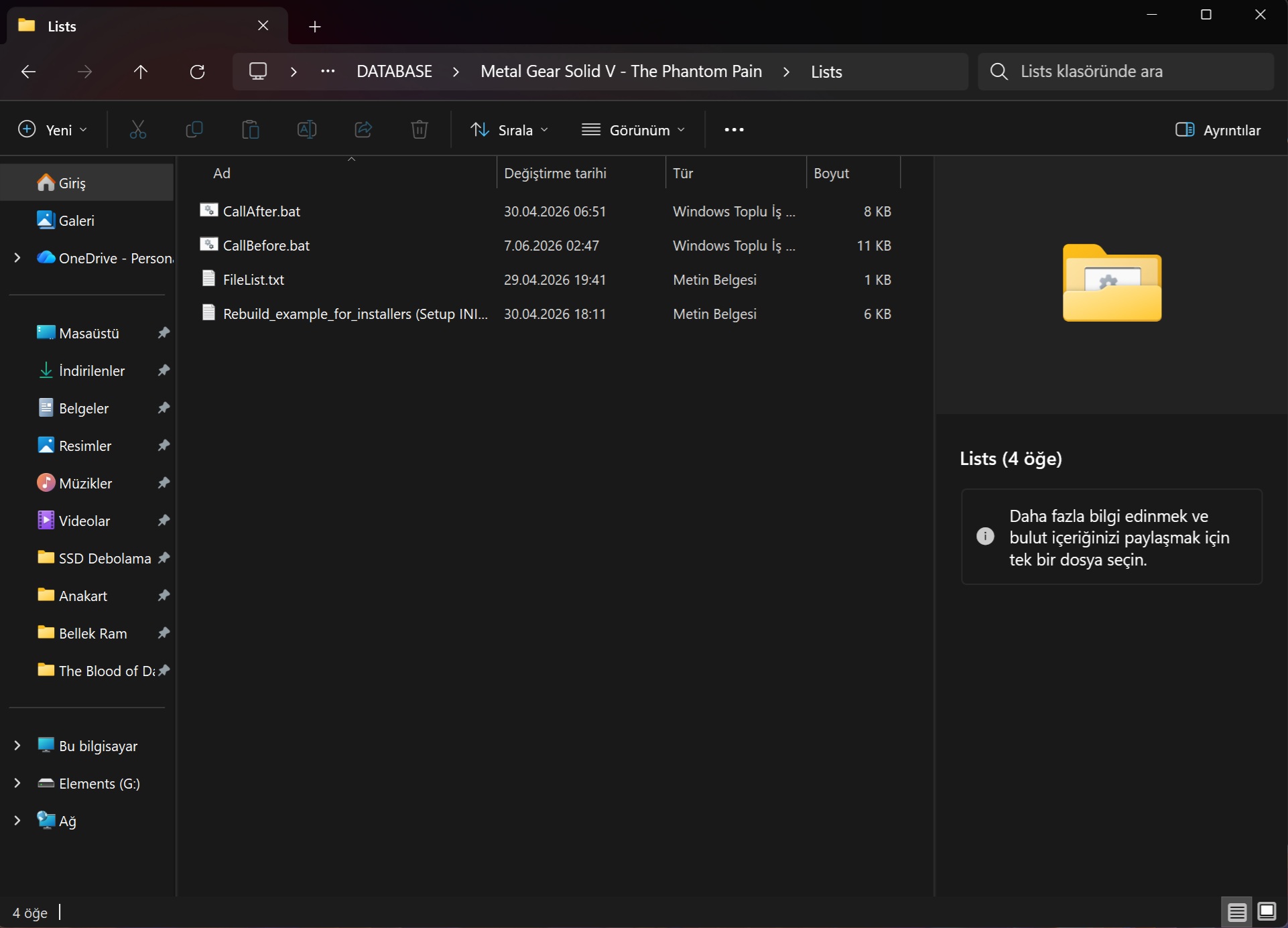 [ [After restoring the compressed files for *Metal Gear Solid V: The Phantom Pain*, the original files are not being restored. I have prepared a detailed video regarding the issue I encountered; the video is a bit long since I recorded the entire process, but I hope it helps explain the problem. I would like to show you the video I recorded. https://canva.link/29nahqrb8fi2p9q Last edited by bird2026; 15-09-2026 at 18:30.
|
|
#7
15-09-2026, 22:54
|
||||
|
||||
|
That's because the Setup.exe has no [CMDCommand] executed after install process.
Code:
[CMDCommands]
@ECHO OFF
SETLOCAL EnableDelayedExpansion EnableExtensions
IF NOT EXIST "{app}\mgstpp_wwise.xtl" GOTO End
CD /D "{app}"
IF EXIST "{app}\wem-unpacker.exe" CALL "{app}\wem-unpacker.exe" "{app}"
"{app}\XTool.exe" decode "{app}\mgstpp_wwise.xtl" "{app}\wwise.tar_extract" "{app}\wwise.tar"
"{app}\7z.exe" x -aoa "{app}\wwise.tar" -o"{app}"
TITLE Repack files, please wait...
SET /A "FileList.Count=2"
SET "FileList[1].Name=00"
SET "FileList[2].Name=01"
FOR /L %%i IN (1, 1, !FileList.Count!) DO IF EXIST "{app}\master\0\!FileList[%%i].Name!.inf" (
	CALL "{app}\MGSV_QAR_Tool.exe" "{app}\master\0\!FileList[%%i].Name!.inf" -r
	RD /S /Q "{app}\master\0\!FileList[%%i].Name!"
	DEL /F /S /Q "{app}\master\0\!FileList[%%i].Name!.inf"
	REN "{app}\master\0\!FileList[%%i].Name!.dat" "!FileList[%%i].Name!.tmp"
)
SET /A "FileList.Count=2"
SET "FileList[1].Name=00"
SET "FileList[2].Name=01"
FOR /L %%i IN (1, 1, !FileList.Count!) DO IF EXIST "{app}\master\1\MGSVTUPDATEV0110\0\!FileList[%%i].Name!.inf" (
	CALL "{app}\MGSV_QAR_Tool.exe" "{app}\master\1\MGSVTUPDATEV0110\0\!FileList[%%i].Name!.inf" -r
	RD /S /Q "{app}\master\1\MGSVTUPDATEV0110\0\!FileList[%%i].Name!"
	DEL /F /S /Q "{app}\master\1\MGSVTUPDATEV0110\0\!FileList[%%i].Name!.inf"
	REN "{app}\master\1\MGSVTUPDATEV0110\0\!FileList[%%i].Name!.dat" "!FileList[%%i].Name!.tmp"
)
SET /A "FileList.Count=11"
SET "FileList[1].Name=chunk0"
SET "FileList[2].Name=chunk1"
SET "FileList[3].Name=chunk2"
SET "FileList[4].Name=chunk3"
SET "FileList[5].Name=chunk4"
SET "FileList[6].Name=data1"
SET "FileList[7].Name=texture0"
SET "FileList[8].Name=texture1"
SET "FileList[9].Name=texture2"
SET "FileList[10].Name=texture3"
SET "FileList[11].Name=texture4"
FOR /L %%i IN (1, 1, !FileList.Count!) DO IF EXIST "{app}\master\!FileList[%%i].Name!.inf" (
	CALL "{app}\MGSV_QAR_Tool.exe" "{app}\master\!FileList[%%i].Name!.inf" -r
	RD /S /Q "{app}\master\!FileList[%%i].Name!"
	DEL /F /S /Q "{app}\master\!FileList[%%i].Name!.inf"
	REN "{app}\master\!FileList[%%i].Name!.dat" "!FileList[%%i].Name!.tmp"
)
SET /A "FileList.Count=2"
SET "FileList[1].Name=chunk0"
SET "FileList[2].Name=texture0"
FOR /L %%i IN (1, 1, !FileList.Count!) DO IF EXIST "{app}\mgo\!FileList[%%i].Name!.inf" (
	CALL "{app}\MGSV_QAR_Tool.exe" "{app}\mgo\!FileList[%%i].Name!.inf" -r
	RD /S /Q "{app}\mgo\!FileList[%%i].Name!"
	DEL /F /S /Q "{app}\mgo\!FileList[%%i].Name!.inf"
	REN "{app}\mgo\!FileList[%%i].Name!.dat" "!FileList[%%i].Name!.tmp"
)
TITLE Applying patch files, please wait...
SET /A "FileList.Count=2"
SET "FileList[1].Name=00"
SET "FileList[2].Name=01"
FOR /L %%i IN (1, 1, !FileList.Count!) DO IF EXIST "{app}\master\0\!FileList[%%i].Name!.tmp" (
	CALL "{app}\xdelta3.exe" -d -s "{app}\master\0\!FileList[%%i].Name!.tmp" "{app}\master\0\!FileList[%%i].Name!.dat.diff" "{app}\master\0\!FileList[%%i].Name!.dat"
	DEL /F /S /Q "{app}\master\0\!FileList[%%i].Name!.tmp"
	DEL /F /S /Q "{app}\master\0\!FileList[%%i].Name!.dat.diff"
)
SET /A "FileList.Count=2"
SET "FileList[1].Name=00"
SET "FileList[2].Name=01"
FOR /L %%i IN (1, 1, !FileList.Count!) DO IF EXIST "{app}\master\1\MGSVTUPDATEV0110\0\!FileList[%%i].Name!.tmp" (
	CALL "{app}\xdelta3.exe" -d -s "{app}\master\1\MGSVTUPDATEV0110\0\!FileList[%%i].Name!.tmp" "{app}\master\1\MGSVTUPDATEV0110\0\!FileList[%%i].Name!.dat.diff" "{app}\master\1\MGSVTUPDATEV0110\0\!FileList[%%i].Name!.dat"
	DEL /F /S /Q "{app}\master\1\MGSVTUPDATEV0110\0\!FileList[%%i].Name!.tmp"
	DEL /F /S /Q "{app}\master\1\MGSVTUPDATEV0110\0\!FileList[%%i].Name!.dat.diff"
)
SET /A "FileList.Count=11"
SET "FileList[1].Name=chunk0"
SET "FileList[2].Name=chunk1"
SET "FileList[3].Name=chunk2"
SET "FileList[4].Name=chunk3"
SET "FileList[5].Name=chunk4"
SET "FileList[6].Name=data1"
SET "FileList[7].Name=texture0"
SET "FileList[8].Name=texture1"
SET "FileList[9].Name=texture2"
SET "FileList[10].Name=texture3"
SET "FileList[11].Name=texture4"
FOR /L %%i IN (1, 1, !FileList.Count!) DO IF EXIST "{app}\master\!FileList[%%i].Name!.tmp" (
	CALL "{app}\xdelta3.exe" -d -s "{app}\master\!FileList[%%i].Name!.tmp" "{app}\master\!FileList[%%i].Name!.dat.diff" "{app}\master\!FileList[%%i].Name!.dat"
	DEL /F /S /Q "{app}\master\!FileList[%%i].Name!.tmp"
	DEL /F /S /Q "{app}\master\!FileList[%%i].Name!.dat.diff"
)
SET /A "FileList.Count=2"
SET "FileList[1].Name=chunk0"
SET "FileList[2].Name=texture0"
FOR /L %%i IN (1, 1, !FileList.Count!) DO IF EXIST "{app}\mgo\!FileList[%%i].Name!.tmp" (
	CALL "{app}\xdelta3.exe" -d -s "{app}\mgo\!FileList[%%i].Name!.tmp" "{app}\mgo\!FileList[%%i].Name!.dat.diff" "{app}\mgo\!FileList[%%i].Name!.dat"
	DEL /F /S /Q "{app}\mgo\!FileList[%%i].Name!.tmp"
	DEL /F /S /Q "{app}\mgo\!FileList[%%i].Name!.dat.diff"
)
DEL /F /S /Q "{app}\wem-unpacker.exe"
DEL /F /S /Q "{app}\XTool.exe"
DEL /F /S /Q "{app}\mgstpp_wwise.xtl"
DEL /F /S /Q "{app}\7z.exe"
DEL /F /S /Q "{app}\MGSV_QAR_Tool.exe"
DEL /F /S /Q "{app}\zlib1.dll"
DEL /F /S /Q "{app}\dictionary.txt"
DEL /F /S /Q "{app}\xdelta3.exe"
DEL /F /S /Q "{app}\wwise.tar"
RD /S /Q "{app}\wwise.tar_extract"
TIMEOUT 3
:End
ENDLOCAL
DEL "%~f0"
Code:
"{app}\"
PS: And don't delete the backup folder until everything is done. Check game files after compressing and installation. If they match the checksum then you should delete the backup folder. There is a reason I made it this way. This game uses encryption on the game files that's why they has to be extracted first, otherwise ratio is bad.
__________________
Haters gonna hate
Last edited by KaktoR; 15-09-2026 at 23:09.
|
| The Following 2 Users Say Thank You to KaktoR For This Useful Post: | ||
Jarmen_Kell (16-09-2026), mausschieber (16-09-2026) | ||
|
#8
16-09-2026, 03:16
|
|||
|
|||
|
Quote:
|
|
#9
16-09-2026, 08:09
|
||||
|
||||
|
Wait for mausschieber if he shares Setup.exe with [CMDCommands] in it, then redo installation.
__________________
Haters gonna hate
|
| The Following User Says Thank You to KaktoR For This Useful Post: | ||
Jarmen_Kell (16-09-2026) | ||
|
#10
16-09-2026, 12:55
|
||||
|
||||
|
Quote:
__________________
It would be nice if you appreciate my work with the thanks Button
|
| The Following User Says Thank You to mausschieber For This Useful Post: | ||
Jarmen_Kell (17-09-2026) | ||
|
#11
18-09-2026, 10:53
|
|||
|
|||
|
Thank for compressor and installer. everything works well.
------------------------------------------------------------------------------------------ - Selected ARC/DS method for Data1-01.cab was: xtool:mzlib:dd3:l10,d128mb - Selected ARC/DS method for Data2-01.cab was: xtool:mflac,l8:dd3:l10,d128mb - Overall input size: 27.29 GB (22.9GB Actually) - Overall output size: 11.97 GB (Ratio 43.85%) - » Data1-01.cab file size: 9.42 GB - » Data2-01.cab file size: 2.55 GB - Overall conversion time: 02:22:31 - Overall conversion discs: 3 DVD5 ------------------------------------------------------------------------------------------------------- - Install Time: 00:11:32 (HDD on HDD)
|
| The Following User Says Thank You to Jarmen_Kell For This Useful Post: | ||
mausschieber (19-09-2026) | ||
 |
|
|
 Similar Threads
|
||||
| Thread | Thread Starter | Forum | Replies | Last Post |
| INDEX - CD2DVD Conversion Index **UPDATED: 17-07-2024** | Grumpy | PC Games - CD/DVD Conversions | 252 | 16-07-2024 21:35 |
| Metal Gear Solid V TPP Complete (6xDVD5) CIUv2.0.4 By *Yener90* | GTX590 | PC Games - CD/DVD Conversions | 2 | 30-12-2022 00:45 |
| Metal Gear Solid V: The Phantom Pain | gatosky1620 | PC Games - CD/DVD Conversions | 6 | 29-06-2019 03:21 |
| Metal Gear Solid V The Phantom Pain 5xDVD5 CIUV2 | pakrat2k2 | PC Games - CD/DVD Conversions | 35 | 19-01-2017 10:29 |
| Metal Gear Solid V The Phantom Pain XDVD5 CIUV2 | karim147 | PC Games - CD/DVD Conversions | 5 | 27-09-2015 17:22 |


 Linear Mode

