Go Back   FileForums > Game Backup > PC Games > PC Games - CD/DVD Conversions > Conversion Tutorials
Register FAQ Community Calendar Today's Posts Search

Reply
 
Thread Tools Search this Thread Display Modes
  #61  
Old 23-09-2022, 09:25
TEAmo TEAmo is offline
Registered User
 
Join Date: Aug 2016
Location: china
Posts: 3
Thanks: 1
Thanked 0 Times in 0 Posts
TEAmo is on a distinguished road
Quote:
Originally Posted by audiofeel View Post
if the theme in the system is dark, then the installer will be white and vice versa.
all fonts are taken from the system 'Segoe UI Variable Text' and 'Segoe Fluent Icon'. they are only in W11
Can I upload your script? Thank you
Reply With Quote
Sponsored Links
  #62  
Old 24-09-2022, 04:30
hitman797's Avatar
hitman797 hitman797 is offline
Registered User
 
Join Date: Feb 2013
Location: Algeria
Posts: 168
Thanks: 486
Thanked 202 Times in 122 Posts
hitman797 is on a distinguished road
@audiofeel
Quote:
Greetings to Black fire 69. How did you personally want to start the language setting after launching the installer itself? I really wanted to see your example.
To change the language use Custom Messages & Languages Section
Quote:
[Languages]
Name: "English"; MessagesFile: "Language\English.isl"
Name: "French"; MessagesFile: "Language\French.isl"
Name: "Arabic"; MessagesFile: "Language\Arabic.isl"

[CustomMessages]
// English
English.Font=Segoe UI Bold Italic
English.AppName=Assassin's Creed Unity
English.Autorun=Welcome
English.Welcome=Welcome to Installation
English.System=System Requirements
English.Select=Selecting Installation Path
English.Prepar=Preparing for Installation
English.Install=Installing the Game
English.Finish=Finishing the Installation
English.Faster=Faster
English.Smaller=Smaller
English.Better=Better
English.AM=AM
English.PM=PM
English.Sunday=Sunday
English.Monday=Monday
English.Tuesday=Tuesday
English.Wednesday=Wednesday
English.Thursday=Thursday
English.Friday=Friday
English.Saturday=Saturday
English.January=January
English.February=February
English.March=March
English.April=April
English.May=May
English.June=June
English.July=July
English.August=August
English.September=September
English.October=October
English.November=November
English.December=December
If you want an example of that, here's an example from Gupta Prince
https://www.fileforums.com/showthread.php?t=99073
Reply With Quote
The Following User Says Thank You to hitman797 For This Useful Post:
audiofeel (24-09-2022)
  #63  
Old 24-09-2022, 10:22
BLACKFIRE69's Avatar
BLACKFIRE69 BLACKFIRE69 is offline
Registered User
 
Join Date: Mar 2019
Location: In the Hell
Posts: 688
Thanks: 481
Thanked 2,547 Times in 561 Posts
BLACKFIRE69 is on a distinguished road
Quote:
Originally Posted by audiofeel View Post
hitman 797. I know that the language call form can no longer be called after initializing the installer. And I didn't think in this direction like Prince Gupta. thanks. but the whole script will have to be redone
this's not a complete example, just use to get an idea.

non-english texts are indicated by texts surrounded by "[r]" for convenience.
(because i'm too lazy to translate every text. )

Code:
[InstallerLangs]
Lang1=Russian
Lang2=English
;Lang3=
;Lang4=
;Lang5=
;Lang6=
Code:
Example:
// LanguageBox
English_LangOkBtn=Ok
English_LanguageTitle=Select Setup Language
English_LanguageMsg=Select the language to use during the installation:

Russian_LangOkBtn=[r]Ok[r]
Russian_LanguageTitle=[r]Select Setup Language[r]
Russian_LanguageMsg=[r]Select the language to use during the installation:[r]

...

download from here : FMXInno_Test.rar

,

Last edited by BLACKFIRE69; 14-07-2024 at 01:38.
Reply With Quote
The Following 4 Users Say Thank You to BLACKFIRE69 For This Useful Post:
ADMIRAL (24-09-2022), audiofeel (24-09-2022), Harsh ojha (24-10-2022), hitman797 (24-09-2022)
  #64  
Old 26-09-2022, 22:02
BLACKFIRE69's Avatar
BLACKFIRE69 BLACKFIRE69 is offline
Registered User
 
Join Date: Mar 2019
Location: In the Hell
Posts: 688
Thanks: 481
Thanked 2,547 Times in 561 Posts
BLACKFIRE69 is on a distinguished road
Quote:
Originally Posted by audiofeel View Post
Great! the translation works. I share my example. I have a question.... why on "FMXForm.FCreateBlankForm" is the image cropped on the right side?
when you use more than one image as the background image, the dimensions (width,height) of the images should be approximately the same.
but in this case every image is of the same dimension (800x450) so everything works fine.

Last edited by BLACKFIRE69; 14-07-2024 at 01:38.
Reply With Quote
The Following User Says Thank You to BLACKFIRE69 For This Useful Post:
audiofeel (26-09-2022)
  #65  
Old 27-09-2022, 04:11
BLACKFIRE69's Avatar
BLACKFIRE69 BLACKFIRE69 is offline
Registered User
 
Join Date: Mar 2019
Location: In the Hell
Posts: 688
Thanks: 481
Thanked 2,547 Times in 561 Posts
BLACKFIRE69 is on a distinguished road
Quote:
Originally Posted by audiofeel View Post
here is a more illustrative example
this isn't an issue with FMXInno. it comes from Delphi itself. so i had to comeup with a fix for this.

this will work...

Code:
with WizardForm do
  begin
    Height := ScaleY(450);
    Width := ScaleX(800);
  end;

Last edited by BLACKFIRE69; 14-07-2024 at 01:39.
Reply With Quote
The Following 2 Users Say Thank You to BLACKFIRE69 For This Useful Post:
audiofeel (27-09-2022), houcine80 (27-09-2022)
  #66  
Old 15-10-2022, 16:09
BLACKFIRE69's Avatar
BLACKFIRE69 BLACKFIRE69 is offline
Registered User
 
Join Date: Mar 2019
Location: In the Hell
Posts: 688
Thanks: 481
Thanked 2,547 Times in 561 Posts
BLACKFIRE69 is on a distinguished road
Arrow FMXInno v1.0.0.2 - Updates

FMXInno v1.0.0.2 - Updates

Code:
- Fixed MinimizeFileName function crashing.
- Fixed minor known bugs/issues so far.
- Some improvements.
- Added transparent GIFs support.
Check the first post.

,

Last edited by BLACKFIRE69; 14-07-2024 at 01:39.
Reply With Quote
The Following 3 Users Say Thank You to BLACKFIRE69 For This Useful Post:
ADMIRAL (20-10-2022), audiofeel (15-10-2022), Gehrman (15-10-2022)
  #67  
Old 19-10-2022, 13:43
BLACKFIRE69's Avatar
BLACKFIRE69 BLACKFIRE69 is offline
Registered User
 
Join Date: Mar 2019
Location: In the Hell
Posts: 688
Thanks: 481
Thanked 2,547 Times in 561 Posts
BLACKFIRE69 is on a distinguished road
Arrow FMXInnoSk v1.0.0.0 - Final Release

FMXInnoSk v1.0.0.0 - Final Release


What's new:
Code:
TSkLabel:
 - Single line with multiple styles, colors and sizes.
 - Additional font weights.
 - Control maximum lines.
 - Make words clickable in  text.
 - Custom fonts without installing.

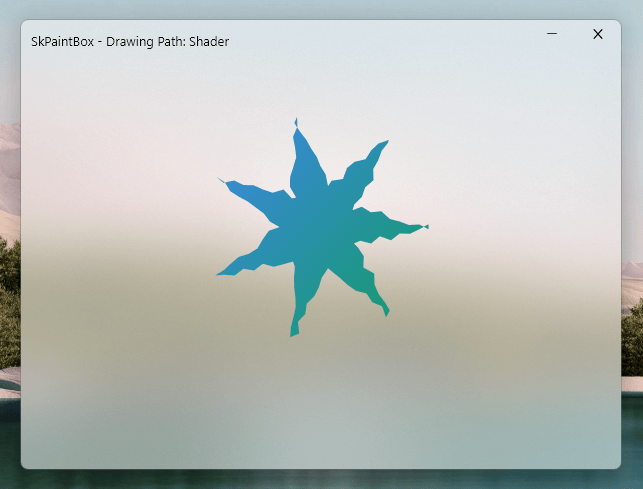
TSkPaintBox:
 - Draw shapes (Rects, RoundRects, Circles, Arcs).
 - Draw Texts (Textblob, SimpleText).
 - Draw Paths (Normal, Discrete, Composed, Sum, Shaders, Fill,
			Rounding sharp corners).
 - Draw Paragraphs (Multi-Styled Texts).
 - Draw Images.
 - Draw 9-Patch (Draw an image preserving corners from strech).

TSkAnimatedPaintBox:
 - Make any shader using SKSL.
 - Runtime effects.
 - Shaders with mouse position.
 - Load Particles (With mouse iterations).

TSkAnimatedImage:
 - Load animations (Lottie, Telegram stickers and Gifs).

TSkImage:
 - Image Encoding (BMP, GIF, ICO, JPEG, PNG, WBMP, WEBP, PKM,
			 KTX, ASTC, DNG, HEIF, AVIF).
 - Make NonTextureImage, RasterImage, MakeShader and RawShader.

TSkSVG:
 - Load .svg files.

Code:
Downloads:
   Shaders	   : Shadertoy
   AnimatedImages  : Lottiefiles
   Stickers	   : Lottiefiles

Preview:
   Preview Shader files   (.sksl)  : Shaders.skia
   Preview Particle files (.json)  : Particles.skia
   Preview AnimatedImages (.json)  : Skottie.skia

Other:
   Create a own shader file (.sksl) : Youtube
   Google Skia                      : skia.org 
   Skia4Delphi                      : skia4delphi.org


Last edited by BLACKFIRE69; 14-07-2024 at 01:40.
Reply With Quote
The Following 8 Users Say Thank You to BLACKFIRE69 For This Useful Post:
ADMIRAL (20-10-2022), audiofeel (19-10-2022), ffmla (20-10-2022), Harsh ojha (24-10-2022), hitman797 (20-10-2022), houcine80 (23-10-2022), ScOOt3r (19-10-2022), yasserdivar (15-10-2023)
  #68  
Old 22-10-2022, 22:14
BLACKFIRE69's Avatar
BLACKFIRE69 BLACKFIRE69 is offline
Registered User
 
Join Date: Mar 2019
Location: In the Hell
Posts: 688
Thanks: 481
Thanked 2,547 Times in 561 Posts
BLACKFIRE69 is on a distinguished road
Quote:
Originally Posted by audiofeel View Post
I wanted to upgrade to version 6.2.1. but as it turned out... why the new "inno" adds on Y=4 and on X=8. why I do not know. it all starts with version 6.0.5. I think that fmx.dll it has nothing to do with it. it's about "inno". I think I've tried everything and I know the difference between "clientWidth and "Width" and "WizardStyle=modern". nothing helped. well, in principle, you can somehow calculate it to be more accurate and stretch the image.

the part that adjusts the dimensions of the image can be done.

i was preparing the last release of version v1.0.0.2. so i'll include the fix with it.
i hope this works. if anything needs to change, be sure to tell me. and thanks for reporting this.


Code:
FMXInno v1.0.0.2 - Last Release

- More Stable.
- More Optimized.
- Fixed Memory Leaks.
- Added File Patching.
  -- procedure wCreateFilePatch(Const fOldFile, fNewFile, fDiffFile: WideString; 
	fMatchLength: Cardinal; fPatchCallback: TFDiffCallback);
  -- procedure wApplyFilePatch(Const fOldFile, fNewFile, fDiffFile: WideString);

Last edited by BLACKFIRE69; 26-10-2022 at 13:14.
Reply With Quote
The Following 3 Users Say Thank You to BLACKFIRE69 For This Useful Post:
ADMIRAL (23-10-2022), audiofeel (22-10-2022), houcine80 (23-10-2022)
  #69  
Old 23-10-2022, 06:44
BLACKFIRE69's Avatar
BLACKFIRE69 BLACKFIRE69 is offline
Registered User
 
Join Date: Mar 2019
Location: In the Hell
Posts: 688
Thanks: 481
Thanked 2,547 Times in 561 Posts
BLACKFIRE69 is on a distinguished road
Quote:
Originally Posted by audiofeel View Post
Greetings!
for today, the most buggy will be 1-"FLabel" and 2-"FToggleCheckBox". let's start with "FLabel".
1. very sensitive to the order, that is, if you put "AutoSize" at the beginning, then something else will not be the correct result
set "WordWrap = false" in "TextSettings".
Code:
  LB1.FCreate(FMXForm.Handle, 'MyShortText');
  LB1.AutoSize(True);
  LB1.top(NSY(100));
  LB1.left(NSX(100));
  LB1.TextSetting(False, txLeading, txCenter);

  LB1.Text('FMXInno: This is a very long text for Testing FLabel AutoSize.');


Quote:
Originally Posted by audiofeel View Post
"OnClick", "OnMouseDown", "does not work eitheronMouseEnter", "onMouseLeave", "onMouseUp". but there is one fat plus. for "FLabel" it is not necessary to copy OnMouseDown(@MainMouseDown) every time. this already works and the form is dragged with the mouse behind the "FLabel", although this is not spelled out.
set "HitTest = True" (captures all mouse events)
Code:
  LB1.FCreate(FMXForm.Handle, 'MyShortText');
  LB1.AutoSize(True);
  LB1.top(NSY(100));
  LB1.left(NSX(100));
  LB1.TextSetting(False, txLeading, txCenter);

  LB1.HitTest(True);
  LB1.OnClick(@LBOnClick);
  LB1.OnMouseEnter(@LBMouseEnter);
  LB1.OnMouseLeave(@LBMouseLeave);
  //LB1.OnMouseDown(@FormMouseDown); (*Set HitTest = False*)

  LB1.Text('FMXInno: This is a very long text for Testing FLabel AutoSize.');
Quote:
"For most controls, HitTest is True by default. However, this is not true for all the controls. For example, for TLabel and TPathLabel, HitTest is False by default;
these two controls do not capture the mouse-related events unless you set HitTest to True.
" - Embarcadero


Quote:
Originally Posted by audiofeel View Post
2. I did this Shortcut[1].FCreate(Page2.Handle, NSX(40), NSY(250), NSX(32), NSY(14), {#Color}, CustomMessage(WizardLang + 'Page2Shortcut1') + '{#C1[59]}'); and got a full w.pu errors. I remove "+ ' {#C1[59]}'" and everything is fine. this only applies to two translation languages, one is fine.
i really want to see your example of this.


Quote:
Originally Posted by audiofeel View Post
well, not big quibbles. "LockScreen" is triggered on "MsgForm.HandleHWND", although it is written in the script "LockScreen.AutoActivate([FMXForm.HandleHWND, MsgForm.HandleHWND, LangForm.HandleHWND, DirBrowseDlg.HandleHWND, DirBrowseDlg.HandleHWND2, WizardForm.Handle]);"
yes. "MsgForm.HandleHWND" returns the wrong handle, i don't know why.
but there's another way.

Code:
procedure ConfirmExitMsg(Sender: TObject);
begin
  LockScreen.AutoActivateEnabled(False);
  MsgForm.Show;
end;

// ...

procedure ExitNoBtnOnClick(Sender: TObject);
begin
  MsgForm.Close;
  LockScreen.AutoActivateEnabled(True);
end;

Last edited by BLACKFIRE69; 14-07-2024 at 01:40.
Reply With Quote
  #70  
Old 24-10-2022, 01:57
BLACKFIRE69's Avatar
BLACKFIRE69 BLACKFIRE69 is offline
Registered User
 
Join Date: Mar 2019
Location: In the Hell
Posts: 688
Thanks: 481
Thanked 2,547 Times in 561 Posts
BLACKFIRE69 is on a distinguished road
Quote:
Originally Posted by audiofeel View Post
here's an example. initially, I liked Toggle because it looks more like WP, but I couldn't or didn't want to figure out what the reason for the language selection launch failure was. and that's why I made a mandatory
checkboxes. in the script, I commented everything out and did about as I originally wanted
sorry for the late reply. (i had to participate a webinar)
found out what was going on.
Code:
FText must be of type WideString.

FText: String;  ==>  FText: WideString;
Code:
Toggle CheckBox updated. now the user has more options.

 - Rounded corners (optional)  (FRounded: Boolean).
 - Custom colors.
 - Custom positions for text.
 etc.

replace the old lib and handle.iss files with these.

,

Last edited by BLACKFIRE69; 14-07-2024 at 01:40.
Reply With Quote
The Following 4 Users Say Thank You to BLACKFIRE69 For This Useful Post:
audiofeel (24-10-2022), ffmla (25-10-2022), Harsh ojha (24-10-2022), Jahan1373 (09-06-2023)
  #71  
Old 26-10-2022, 13:11
BLACKFIRE69's Avatar
BLACKFIRE69 BLACKFIRE69 is offline
Registered User
 
Join Date: Mar 2019
Location: In the Hell
Posts: 688
Thanks: 481
Thanked 2,547 Times in 561 Posts
BLACKFIRE69 is on a distinguished road
Quote:
Originally Posted by audiofeel View Post
well, not big quibbles. "LockScreen" is triggered on "MsgForm.HandleHWND", although it is written in the script "LockScreen.AutoActivate([FMXForm.HandleHWND, MsgForm.HandleHWND, LangForm.HandleHWND, DirBrowseDlg.HandleHWND, DirBrowseDlg.HandleHWND2, WizardForm.Handle]);"
- Fixed CustomFluentWindow handle.
- Fixed EmptyWizardForm.


latest version has been added to the first post...
Reply With Quote
The Following 5 Users Say Thank You to BLACKFIRE69 For This Useful Post:
audiofeel (26-10-2022), Cesar82 (26-10-2022), ffmla (26-10-2022), houcine80 (27-10-2022), ScOOt3r (26-10-2022)
  #72  
Old 06-11-2022, 12:39
BLACKFIRE69's Avatar
BLACKFIRE69 BLACKFIRE69 is offline
Registered User
 
Join Date: Mar 2019
Location: In the Hell
Posts: 688
Thanks: 481
Thanked 2,547 Times in 561 Posts
BLACKFIRE69 is on a distinguished road
Arrow FMXInno v1.0.0.2

WPI_CorePack - Script Updated!

Code:
- Browse for disks.
- Before/After install:  Run executables or bats, Writing ini and Patching files.

- XBass_f.dll/ XHashNext.dll/ MFT.exe:  Updated, Reduced the file size. 
  (AV no longer pops false positive malware detection on these files.)

- Added wFilePatchLib.dll.
,

Last edited by BLACKFIRE69; 14-07-2024 at 01:41.
Reply With Quote
The Following 6 Users Say Thank You to BLACKFIRE69 For This Useful Post:
audiofeel (07-11-2022), Gehrman (06-11-2022), Harsh ojha (08-11-2022), houcine80 (06-11-2022), Razor12911 (06-11-2022), ScOOt3r (07-11-2022)
  #73  
Old 09-11-2022, 00:31
ADMIRAL's Avatar
ADMIRAL ADMIRAL is offline
Registered User
 
Join Date: Oct 2019
Location: iran
Posts: 92
Thanks: 568
Thanked 40 Times in 34 Posts
ADMIRAL is on a distinguished road
got error

i compressed the game by blackfire69 compressor what was 96compressor.
and this is the error.
what i should do???
Attached Images
File Type: png Annotation 2022-11-09 125700.png (509.5 KB, 271 views)
__________________
Search and Find
Reply With Quote
  #74  
Old 10-11-2022, 06:11
BLACKFIRE69's Avatar
BLACKFIRE69 BLACKFIRE69 is offline
Registered User
 
Join Date: Mar 2019
Location: In the Hell
Posts: 688
Thanks: 481
Thanked 2,547 Times in 561 Posts
BLACKFIRE69 is on a distinguished road
Arrow FMXInno v1.0.0.2 - Updates

FMXInno v1.0.0.2 - Updates

Code:
* Added Dynamic Tiles.
   - Highly customizable.
   - Tile shapes can be regular/rounded corner rectangles or even circles.
   - Allowed users to make their own style tiles.
   - DeltaX, DeltaY and TimeDuration configure the motion of tiles.

* Updated Classes.

Last edited by BLACKFIRE69; 14-07-2024 at 01:41.
Reply With Quote
The Following 4 Users Say Thank You to BLACKFIRE69 For This Useful Post:
audiofeel (10-11-2022), Gehrman (11-11-2022), Razor12911 (10-11-2022), ScOOt3r (11-11-2022)
  #75  
Old 11-11-2022, 03:41
BLACKFIRE69's Avatar
BLACKFIRE69 BLACKFIRE69 is offline
Registered User
 
Join Date: Mar 2019
Location: In the Hell
Posts: 688
Thanks: 481
Thanked 2,547 Times in 561 Posts
BLACKFIRE69 is on a distinguished road
Quote:
Originally Posted by audiofeel View Post
black fire 69 I have a few suggestions for you. add "XHashNext" to the "FMXInno" library (no need to "drag" the dll with you anymore). also add "xbass_f". although "FMXInno" can play music without outside help, but only "Wav" (this is very good, the size decreases, and so on and so forth. but there is one drawback... I never found a way to pause (I searched everywhere and on "stackoverflow") and the "Wav" itself is very large. and the last sentence. add "boolean" "FDark" to other controls, not only buttons and windows, but also text and so on. thank you!
Code:
* Merged XBass_f and XHashNext into FMXInno lib as suggested.
( next time write the sentences separately. otherwise it's hard to read )

,

Last edited by BLACKFIRE69; 17-11-2022 at 22:30.
Reply With Quote
The Following 2 Users Say Thank You to BLACKFIRE69 For This Useful Post:
audiofeel (12-11-2022), ScOOt3r (11-11-2022)
Reply


Posting Rules
You may not post new threads
You may not post replies
You may not post attachments
You may not edit your posts

BB code is On
Smilies are On
[IMG] code is On
HTML code is Off

Forum Jump

Similar Threads
Thread Thread Starter Forum Replies Last Post
Windows Fluent Effects Standalone API - InnoSetup / VCL / FXM BLACKFIRE69 Conversion Tutorials 0 15-11-2023 17:35
Windows Phone Installer similar to razor12911's original design? Kitsune1982 Conversion Tutorials 0 02-07-2020 13:04
INDEX - Conversion Tutorial Index Razor12911 Conversion Tutorials 5 11-06-2020 02:05
Frequently Asked Questions Joe Forster/STA PC Games - Frequently Asked Questions 0 29-11-2005 09:48


All times are GMT -7. The time now is 16:47.


Powered by vBulletin® Version 3.8.11
Copyright ©2000 - 2026, vBulletin Solutions Inc.
FileForums @ https://fileforums.com