Go Back   FileForums > Game Backup > PC Games > PC Games - CD/DVD Conversions
Register FAQ Community Calendar Today's Posts Search

Reply
 
Thread Tools Search this Thread Display Modes
  #1  
Old 05-06-2017, 17:09
mausschieber's Avatar
mausschieber mausschieber is offline
Conversion Designer
 
Join Date: Jan 2011
Location: germany
Posts: 4,311
Thanks: 6,755
Thanked 11,698 Times in 3,223 Posts
mausschieber is on a distinguished road
Smile Fallout 3 Game of the Year Edition

Fallout 3 Game of the Year Edition [?xDVD5]

Credits:
--CIU By:Yener90
--InstallerScript: CIU 3.0.0.1 b9
--Contributors:BAMsE; Razor12911; Simorq; KaktoR; Cesar82 CIU 3.0.0.1
--CLS-DiskSpan.dll R3 by Razor12911, modified version by Cesar82
--DiskSpan_GUI V2+ by Cesar82

Graphic found Ingame and Online
Arts by mausschieber


At Request from Simorq

Info:
Code:
Conversion is for Steam and GOG so choose Diskspan_gui to change 
wich Version should Compressed [ Default is Steam ] 
Version History:
Code:
Version 1.0.0 
- Initial Release  (600 views before); 
Version 1.0.1 
- Updated to new Script  and DSG ;
Include: All DLC's

Instructions:

1.-- Install Game, update to latest version + No-DVD.
2.-- Download the Conversion and extract to HD, (not in game folder)
2a.- Move _CommonRedist to Conversion output folder. (Last DVD)

Code:
[Launch1]
-----------------------------------------------------
Name=DirectX (Jun 2010)
Exe1={src}\_CommonRedist\DirectX\Jun2010\DXSETUP.exe
Argument=/silent
BeforeInstall=0
Checked=0

[Launch2]
-----------------------------------------------------
Name=Microsoft Visual C++ 2019
Exe1={src}\_CommonRedist\vcredist\2019\VC_redist.x86.exe
Exe2={src}\_CommonRedist\vcredist\2019\VC_redist.x64.exe
Argument=/passive /norestart
BeforeInstall=0
Checked=0
3.-- Run DiskSpan_GUI Choose Input/Output folder, Choose compression method
4.-- Test the conversion, before burning ISO.
Attached Images
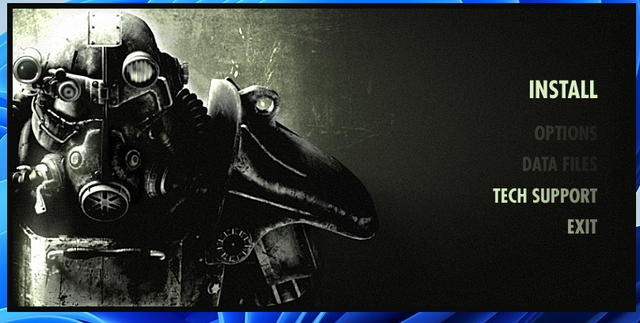
File Type: png Autorun.png (599.1 KB, 28 views)
File Type: png Installer.png (635.9 KB, 28 views)
Attached Files
File Type: rar Fallout 3 Game of the Year Edition.rar (64.98 MB, 10 views)
__________________
It would be nice if you appreciate my work with the thanks Button

Last edited by mausschieber; 24-08-2023 at 03:43. Reason: Registry Fixed and Tested
Reply With Quote
The Following 12 Users Say Thank You to mausschieber For This Useful Post:
41UC4RD (07-06-2017), Cesar82 (09-10-2019), Danziel123 (23-08-2023), houcine80 (05-06-2017), Incultor (08-10-2019), marston (16-07-2017), moj007 (05-06-2017), nemesis8 (14-06-2018), omdj (05-06-2017), pakrat2k2 (05-06-2017), Simorq (05-06-2017), Stor31 (09-07-2017)
Sponsored Links
  #2  
Old 17-09-2017, 19:25
RedBeard1971's Avatar
RedBeard1971 RedBeard1971 is offline
Registered User
 
Join Date: Dec 2011
Location: usa
Posts: 32
Thanks: 42
Thanked 18 Times in 16 Posts
RedBeard1971 is on a distinguished road
something is missing. Launcher after I install says game not installed but all files are there. If I install my gog version after I install this conversion they both work. so you are missing something. registry entry or some GFWL work around.... IDK
Reply With Quote
  #3  
Old 18-09-2017, 02:32
mausschieber's Avatar
mausschieber mausschieber is offline
Conversion Designer
 
Join Date: Jan 2011
Location: germany
Posts: 4,311
Thanks: 6,755
Thanked 11,698 Times in 3,223 Posts
mausschieber is on a distinguished road
Quote:
Originally Posted by RedBeard1971 View Post
something is missing. Launcher after I install says game not installed but all files are there. If I install my gog version after I install this conversion they both work. so you are missing something. registry entry or some GFWL work around.... IDK
i will check this
Reply With Quote
  #4  
Old 18-09-2017, 07:12
RedBeard1971's Avatar
RedBeard1971 RedBeard1971 is offline
Registered User
 
Join Date: Dec 2011
Location: usa
Posts: 32
Thanks: 42
Thanked 18 Times in 16 Posts
RedBeard1971 is on a distinguished road
No play button on launcher

Same issue here at post #10

http://fileforums.com/showthread.php?t=95717
Reply With Quote
  #5  
Old 19-09-2017, 04:42
mausschieber's Avatar
mausschieber mausschieber is offline
Conversion Designer
 
Join Date: Jan 2011
Location: germany
Posts: 4,311
Thanks: 6,755
Thanked 11,698 Times in 3,223 Posts
mausschieber is on a distinguished road
Quote:
Originally Posted by RedBeard1971 View Post
Issue in Setup Fixed there was a Reg entry missing
now after a few Test it work

thanks for reporting back
Reply With Quote
The Following 2 Users Say Thank You to mausschieber For This Useful Post:
nemesis8 (14-06-2018), RedBeard1971 (20-09-2017)
  #6  
Old 08-10-2019, 14:11
Incultor Incultor is offline
Registered User
 
Join Date: Jun 2016
Location: México
Posts: 3
Thanks: 5
Thanked 1 Time in 1 Post
Incultor is on a distinguished road
Thank you for the GOG installer mausschieber. I've made my own installer, but I can't fix the problem with FalloutLauncher.exe displays a message that says "unable to find a INI file" and doesn't detect the data files. I don't know what I'm doing wrong. Could you please upload the installer script file?
Reply With Quote
  #7  
Old 08-10-2019, 15:07
mausschieber's Avatar
mausschieber mausschieber is offline
Conversion Designer
 
Join Date: Jan 2011
Location: germany
Posts: 4,311
Thanks: 6,755
Thanked 11,698 Times in 3,223 Posts
mausschieber is on a distinguished road
Quote:
Originally Posted by Incultor View Post
Thank you for the GOG installer mausschieber. I've made my own installer, but I can't fix the problem with FalloutLauncher.exe displays a message that says "unable to find a INI file" and doesn't detect the data files. I don't know what I'm doing wrong. Could you please upload the installer script file?
here it is
https://fileforums.com/showpost.php?...99&postcount=1
__________________
It would be nice if you appreciate my work with the thanks Button
Reply With Quote
  #8  
Old 08-10-2019, 17:55
Incultor Incultor is offline
Registered User
 
Join Date: Jun 2016
Location: México
Posts: 3
Thanks: 5
Thanked 1 Time in 1 Post
Incultor is on a distinguished road
What I mean is that with my installer I have the same problem that RedBeard1971 reported, but solved by adding the key
Code:
Root: HKLM; Subkey: SOFTWARE\Bethesda Softworks\Fallout3; ValueType: string; ValueName: "Installed Path"; ValueData: "{app}"; Flags: uninsdeletekey;
the PLAY option in the launcher is available, but when clicked it shows the following message: "Fallout 3 does not appear to be installed and the installer could not be found".

My question is, what registry keys or settings did you change to fix this problem?
Reply With Quote
  #9  
Old 08-10-2019, 18:15
mausschieber's Avatar
mausschieber mausschieber is offline
Conversion Designer
 
Join Date: Jan 2011
Location: germany
Posts: 4,311
Thanks: 6,755
Thanked 11,698 Times in 3,223 Posts
mausschieber is on a distinguished road
Quote:
Originally Posted by Incultor View Post
What I mean is that with my installer I have the same problem that RedBeard1971 reported, but solved by adding the key
Code:
Root: HKLM; Subkey: SOFTWARE\Bethesda Softworks\Fallout3; ValueType: string; ValueName: "Installed Path"; ValueData: "{app}"; Flags: uninsdeletekey;
the PLAY option in the launcher is available, but when clicked it shows the following message: "Fallout 3 does not appear to be installed and the installer could not be found".

My question is, what registry keys or settings did you change to fix this problem?
i make update to new script CIU 3.0.0.0
__________________
It would be nice if you appreciate my work with the thanks Button
Reply With Quote
  #10  
Old 08-10-2019, 22:33
Grumpy's Avatar
Grumpy Grumpy is offline
Moderator
 
Join Date: Jun 2004
Location: Australia
Posts: 5,695
Thanks: 1,256
Thanked 1,851 Times in 812 Posts
Grumpy is on a distinguished road
@mausschieber

I am fairly certain that 'Incultor' would like your help to fix his problem with 'his own' installer. He would like to know what was the registry entry you added to 'your' installer to fix the same problem he is currently having with 'his own' installer.

Sometimes getting a message/problem explained via text can by hard and mis-understood.
__________________
Can't find a Game Conversion? Check the 'Conversion INDEX'
Reply With Quote
The Following 2 Users Say Thank You to Grumpy For This Useful Post:
Incultor (09-10-2019), mausschieber (09-10-2019)
  #11  
Old 09-10-2019, 02:53
mausschieber's Avatar
mausschieber mausschieber is offline
Conversion Designer
 
Join Date: Jan 2011
Location: germany
Posts: 4,311
Thanks: 6,755
Thanked 11,698 Times in 3,223 Posts
mausschieber is on a distinguished road
Quote:
Originally Posted by Incultor View Post
What I mean is that with my installer I have the same problem that RedBeard1971 reported, but solved by adding the key
Code:
Root: HKLM; Subkey: SOFTWARE\Bethesda Softworks\Fallout3; ValueType: string; ValueName: "Installed Path"; ValueData: "{app}"; Flags: uninsdeletekey;
the PLAY option in the launcher is available, but when clicked it shows the following message: "Fallout 3 does not appear to be installed and the installer could not be found".

My question is, what registry keys or settings did you change to fix this problem?
here the Original reg entry
Code:
Root: HKLM; Subkey: "SOFTWARE\Bethesda Softworks"; MinVersion: 0.0,5.0; Flags: uninsdeletekeyifempty 
Root: HKLM; Subkey: "SOFTWARE\Bethesda Softworks\Fallout3"; ValueName: "Installed Path"; ValueType: String; ValueData: "{app}\"; MinVersion: 0.0,5.0; Flags: uninsdeletevalue uninsdeletekeyifempty 
Root: HKLM; Subkey: "SOFTWARE\GOG.com\Games\1454315831"; ValueName: "buildId"; ValueType: String; ValueData: "50161452253096470"; MinVersion: 0.0,5.0; Flags: uninsdeletekey 
Root: HKLM; Subkey: "SOFTWARE\GOG.com\Games\1454315831"; ValueName: "ver"; ValueType: String; ValueData: "1.7.0.3"; MinVersion: 0.0,5.0; Flags: uninsdeletekey 
Root: HKLM; Subkey: "SOFTWARE\GOG.com\Games\1454315831"; ValueName: "lang_code"; ValueType: String; ValueData: "en-US"; MinVersion: 0.0,5.0; Flags: uninsdeletekey 
Root: HKLM; Subkey: "SOFTWARE\GOG.com\Games\1454315831"; ValueName: "lang_old"; ValueType: String; ValueData: "en"; MinVersion: 0.0,5.0; Flags: uninsdeletekey 
Root: HKLM; Subkey: "SOFTWARE\GOG.com\Games\1454315831"; ValueName: "osbit"; ValueType: String; ValueData: "neutral"; MinVersion: 0.0,5.0; Flags: uninsdeletekey
__________________
It would be nice if you appreciate my work with the thanks Button
Reply With Quote
The Following 2 Users Say Thank You to mausschieber For This Useful Post:
Grumpy (09-10-2019), Incultor (09-10-2019)
  #12  
Old 09-10-2019, 11:18
Incultor Incultor is offline
Registered User
 
Join Date: Jun 2016
Location: México
Posts: 3
Thanks: 5
Thanked 1 Time in 1 Post
Incultor is on a distinguished road
Quote:
Originally Posted by mausschieber View Post
here the Original reg entry
Code:
Root: HKLM; Subkey: "SOFTWARE\Bethesda Softworks"; MinVersion: 0.0,5.0; Flags: uninsdeletekeyifempty 
Root: HKLM; Subkey: "SOFTWARE\Bethesda Softworks\Fallout3"; ValueName: "Installed Path"; ValueType: String; ValueData: "{app}\"; MinVersion: 0.0,5.0; Flags: uninsdeletevalue uninsdeletekeyifempty 
Root: HKLM; Subkey: "SOFTWARE\GOG.com\Games\1454315831"; ValueName: "buildId"; ValueType: String; ValueData: "50161452253096470"; MinVersion: 0.0,5.0; Flags: uninsdeletekey 
Root: HKLM; Subkey: "SOFTWARE\GOG.com\Games\1454315831"; ValueName: "ver"; ValueType: String; ValueData: "1.7.0.3"; MinVersion: 0.0,5.0; Flags: uninsdeletekey 
Root: HKLM; Subkey: "SOFTWARE\GOG.com\Games\1454315831"; ValueName: "lang_code"; ValueType: String; ValueData: "en-US"; MinVersion: 0.0,5.0; Flags: uninsdeletekey 
Root: HKLM; Subkey: "SOFTWARE\GOG.com\Games\1454315831"; ValueName: "lang_old"; ValueType: String; ValueData: "en"; MinVersion: 0.0,5.0; Flags: uninsdeletekey 
Root: HKLM; Subkey: "SOFTWARE\GOG.com\Games\1454315831"; ValueName: "osbit"; ValueType: String; ValueData: "neutral"; MinVersion: 0.0,5.0; Flags: uninsdeletekey
It seems that I had configured in my script other registry keys that the GOG installer creates, which cause the aforementioned Launcher problem. Setting only the keys you wrote down works correctly.

Thanks for the help.
Reply With Quote
The Following User Says Thank You to Incultor For This Useful Post:
mausschieber (09-10-2019)
  #13  
Old 23-08-2023, 00:33
Danziel123 Danziel123 is offline
Registered User
 
Join Date: Mar 2013
Location: Surabaya
Posts: 1,334
Thanks: 1,213
Thanked 813 Times in 699 Posts
Danziel123 is on a distinguished road
Hi, can you update the conversion to the latest DSG and GOG edition? Thank you
Reply With Quote
  #14  
Old 23-08-2023, 12:33
mausschieber's Avatar
mausschieber mausschieber is offline
Conversion Designer
 
Join Date: Jan 2011
Location: germany
Posts: 4,311
Thanks: 6,755
Thanked 11,698 Times in 3,223 Posts
mausschieber is on a distinguished road
Quote:
Originally Posted by Danziel123 View Post
Hi, can you update the conversion to the latest DSG and GOG edition? Thank you
Done Updated

@mods Please Change Title to only Fallout 3 Game of the Year Edition
__________________
It would be nice if you appreciate my work with the thanks Button
Reply With Quote
  #15  
Old 23-08-2023, 21:00
Danziel123 Danziel123 is offline
Registered User
 
Join Date: Mar 2013
Location: Surabaya
Posts: 1,334
Thanks: 1,213
Thanked 813 Times in 699 Posts
Danziel123 is on a distinguished road
Thank you
Quote:
-----------------------------------------------------------------------------------------
-------------------------------- CONVERSION DATE 24/08/2023 --------------------------------
-----------------------------------------------------------------------------------------
10:18:04 - You have chosen the unlimited type for the output size.
10:18:04 - ISO images will not be created when conversion is complete.
10:18:04 - The computer will remain on when the conversion is complete.
10:18:04 - Selected ARC/DS method for Data1a-01.bin was: bpk+xt_zlib+xtool:dd3+4x4:b64mb:lzma:ultra:64m:bt4 :fb273:lc8:mc1000000
-----------------------------------------------------------------------------------------
10:18:05 - Compression initialized in 24/08/2023 at 10:18:05.
10:18:06 - Starting Data1a-01.bin archive creation.
10:31:56 - Moving Data1a-01.bin file to media folder.
10:31:58 - Compression finished in 24/08/2023 at 10:31:58.
-----------------------------------------------------------------------------------------
10:31:58 - Getting size of the game: Fallout 3 Game of the Year Edition
10:31:58 - Installation folder size: 8,57 GB
10:31:58 - Compressed game size: 5,56 GB (Ratio 64.86%)
-----------------------------------------------------------------------------------------
10:31:58 - Overall input size: 8,57 GB
10:31:58 - Overall output size: 5,56 GB (Ratio 64.86%)
10:31:58 - Overall conversion time: 00:13:52
10:31:58 - Overall conversion media: 1 custom media
-----------------------------------------------------------------------------------------
But can you check the registry in GOG? Because it show install when i click the launcher. Thank you
Reply With Quote
Reply


Posting Rules
You may not post new threads
You may not post replies
You may not post attachments
You may not edit your posts

BB code is On
Smilies are On
[IMG] code is On
HTML code is Off

Forum Jump

Similar Threads
Thread Thread Starter Forum Replies Last Post
Fallout: New Vegas Ultimate Edition mausschieber PC Games - CD/DVD Conversions 13 19-05-2025 14:09
INDEX - CD2DVD Conversion Index **UPDATED: 17-07-2024** Grumpy PC Games - CD/DVD Conversions 252 16-07-2024 20:35
Fallout 3 Goty Edition + Innosetup clriboli PC Games - CD/DVD Conversions 41 04-05-2014 05:53
FALLOUT 3 GOTY multilanguage version kobold PC Games 3 21-04-2010 03:05


All times are GMT -7. The time now is 01:10.


Powered by vBulletin® Version 3.8.11
Copyright ©2000 - 2026, vBulletin Solutions Inc.
FileForums @ https://fileforums.com