|
#2
 18-08-2009, 16:16
|
|||
|
|||
|
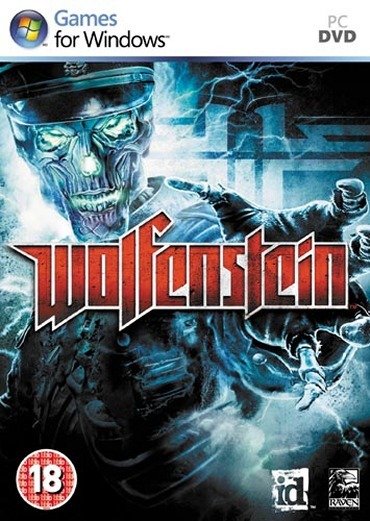
Wolfenstein DVD9 to 2x DVD5
1.) Create folders DISK1 and DISK2 (that's label name) and copy content of DVD9 to folder DISK1 2.) Download the modified 'Wolfenstein.msi', unpack the archive & copy the msi to DISK1 and say yes to replace: Wolfenstein.7z 3.) From DISK1 move this files to DISK2 folder: Code:
MapsA.cab MapsA1.cab MapsB.cab MapsC.cab MapsD.cab MapsE.cab MPPK.cab MPPK2.cab 5.) From DISK1 copy 'autorun.inf' to DISK2 folder and edit him to like this: Code:
[autorun] open=0 icon=Wolfenstein.ico Install Sequence: DVD1 - DVD2 - DVD1 DVD size: DVD 1: 3,96 Gb DVD 2: 2,88 Gb
__________________
I'm from czech republic,sry for my bad english :) 
|
|
#3
19-08-2009, 02:28
|
||||
|
||||
|
Wolfenstein (DVD9 to 2xDVD5) Install sequence DVD1-DVD2
1) Create temp folders 'temp\WOLF_DVD_1' 'temp\WOLF_DVD' 2) Copy DVD9 contents to 'temp\WOLF_DVD_1' 3) Move: MPPK.cab French.cab English.cab PB.cab pbsvc.exe (also move this file to fix punkbuster installation error) files from 'temp\WOLF_DVD_1' to 'temp\WOLF_DVD' 'data' folder from 'temp\WOLF_DVD_1\Setup\' to 'temp\WOLF_DVD\Setup\' FirewallInstallHelper.dll GameuxInstallHelper.dll vcredist_x86.exe version.inf files from 'temp\WOLF_DVD_1' to 'temp\WOLF_DVD' 4) Copy: 'rsrc' folder from 'temp\WOLF_DVD_1\Setup\' to 'temp\WOLF_DVD\Setup\' 'DirectX & Docs' folders from 'temp\WOLF_DVD_1' to 'temp\WOLF_DVD' Setup.exe Setup.ini ISSetup.dll 0x0409.ini 0x040c.ini files from 'temp\WOLF_DVD_1' to 'temp\WOLF_DVD' 5) Create autorun.inf in 'temp\WOLF_DVD': Code:
[autorun] open=0 icon=Setup\rsrc\Wolfenstein.ico shell\dinstall\command=Directx\dxsetup.exe shell\dinstall=DirectX(R)... 7) Burn or make ISOs with same labels name of temp folders DVD1 size 4.02 gb DVD2 size 2.93 gb    
Last edited by peterf1999; 21-08-2009 at 06:40.
|
|
#4
19-08-2009, 08:00
|
|||
|
|||
|
Quote:
it works! BIG THANKS 
Last edited by Grumpy; 01-02-2011 at 02:20. Reason: Removed the HUGE quote - NO need to quote whole post!
|
|
#6
19-08-2009, 08:23
|
||||
|
||||
|
Quote:
move pbsvc.exe to WOLF_DVD folder Last edited by peterf1999; 19-08-2009 at 08:26.
|
|
#9
25-08-2009, 00:35
|
||||
|
||||

Quote:
 . .Thank a lot to all 
Last edited by Baluba; 25-08-2009 at 00:44.
|
|
#10
25-08-2009, 08:28
|
||||
|
||||
|
Quote:
Quote:
thanks  works perfectly
|
|
#11
06-09-2009, 14:22
|
|||
|
|||

Confirmed!!! peterf1999's instructions worked without error! Created .iso's, mounted via Daemon Tools and installed to Vista Ultimate Ultimate x64. The install was error free and the game plays without issues. Thank you very much peterf1999.
You must follow the instructions word for word; Move not copy, copy not move.
|
|
#12
27-09-2009, 22:47
|
||||
|
||||
|
Wolfenstein - GERMAN ONLY - DVD9 to 2xDVD5 by Pakrat
Requested by feanor666 Create 2 temp folders Disk1 Disk2 Copy entire contents of DVD9 to Disk1 MOVE from Disk1\Setup\Data\SP\base\videos/*.* to Disk2\Setup\Data\SP\base\videos MOVE SPStre~1.cab to Disk2. COPY all folders from Disk1 to Disk2 DELETE the folder maps from Disk2 ( found in Setup\Data\base\ ) COPY the following files from Disk1 to Disk2 Code:
0x0407.ini autorun.inf FirewallInstallHelper.dll GameuxInstallHelper.dll instmsia.exe instmsiw.exe ISSetup.dll pbsvc.exe setup.exe Setup.ini splash.bmp vcredist_x86.exe version.inf WindowsInstaller-KB893803-x86.exe Code:
[autorun] open=0 icon=Setup\rsrc\Wolfenstein.ico Install Sequence DVD1 - DVD2 - DVD1 - DVD2. Use temp Folders Names as DVD Labels DVD1(Disk1) - 3.71GB DVD2(Disk2) - 3.62GB At the following error messages Switch Disks. Die Quelldatei wurde nicht gefunden: H:\SPStre~1.cab. Uberprufen Sie, ob die Datei existiert und ob Sie daruf zugreifen konnen. Insert Disk 2 Installer will ask for Disk1. Fehler beim Lesen von Datei: H:\Setup\Data\SP\base\videos\air_0500_blocking_vo_ german.bik. Uberprufen Sie, ob die Datei existiert und ob Sie daruf zugreifen konnen. Insert Disk 2. Setup ends with Disk2.
|
|
#14
15-10-2009, 13:30
|
||||
|
||||
|
Move in step 3:
Code:
Italian.cab Spanish.cab Code:
French.cab
English.cab
|
 |
|
|
 Similar Threads
|
||||
| Thread | Thread Starter | Forum | Replies | Last Post |
| INDEX - CD2DVD Conversion Index **UPDATED: 17-07-2024** | Grumpy | PC Games - CD/DVD Conversions | 252 | 16-07-2024 20:35 |
| Beowulf (DVD9 to DVD5) | mondragon | PC Games - CD/DVD Conversions | 9 | 26-03-2013 23:06 |
| Phantasy Star Universe (DVD9 to 2 DVD5 OR DVD9 to 1 DVD5) | Heretic666 | PC Games - CD/DVD Conversions | 6 | 26-12-2006 06:28 |
| ParaWorld (DVD9 to 1x CD-R & 1x DVD5) OR (DVD9 to 1 DVD5) | !HaGaR! | PC Games - CD/DVD Conversions | 11 | 25-10-2006 08:45 |


 Wolfenstein DVD9 to 2xDVD5


 Linear Mode

