|
|
|
#1
 26-02-2019, 08:56
|
||||
|
||||
|
Well you can use the built-in batch ([CMDCommands]).
__________________
Haters gonna hate

|
| The Following User Says Thank You to KaktoR For This Useful Post: | ||
zirkhaki (26-02-2019) | ||
| Sponsored Links |
|
#2
26-02-2019, 09:01
|
||||
|
||||
|
OK good, but I couldn't find the command structure on web. I mean I don't know what to search.
could you please tell me what command should I put in [CMDCommands] section?
|
|
#3
26-02-2019, 09:08
|
||||
|
||||
|
I did a quick look in cmd
Code:
runas /? PS: If I search for batch things, I always google for "batch [what you want to do]" PPS: It seems that you only need to run the cmd window as admin if I got it right (if CIU doesn't do it by itself anyway). Just make a simple batch and try it out.
__________________
Haters gonna hate
|
| The Following User Says Thank You to KaktoR For This Useful Post: | ||
zirkhaki (26-02-2019) | ||
|
#5
27-02-2019, 03:10
|
||||
|
||||
|
Quote:
If you are creating shortcuts, indicate which manifest ID corresponds to the executable in the [Executable#] section Example (Registering only one manifest and one shortcut) Code:
[UWPGame]
Manifest1#={app}\AppFiles\AppxManifest.xml

[Executable1]
Name=ORIGINAL
Icon={app}\AppFiles\Assets\Square44x44Logo.scale-400.png
ManifestID=1
Name= key using ORIGINAL will read the value in the AppxManifest.xml, but you can indicate the name for the shortcut. ManifestID= key is the number of the registered file AppxManifest.xml
|
| The Following 3 Users Say Thank You to Cesar82 For This Useful Post: | ||
|
#6
27-02-2019, 03:48
|
||||
|
||||
|
OK. Was that so easy to install a UWP game? thanks.
I tested it and the game installed properly. just a problem with shortcut. I have this setting: Code:
[UWPGame]
----------------------------------------------------------------------------------------------------------------------------------------
Manifest1={app}\AppxManifest.xml

[Executable1]
-------------------------------------------------------------------------------------------------------------------------------------------------------
Name=ORIGINAL
Icon={app}\Resources\Logo.png
ManifestID=1
|
|
#7
27-02-2019, 05:27
|
||||
|
||||
|
Quote:
|
| The Following User Says Thank You to Cesar82 For This Useful Post: | ||
zirkhaki (02-03-2019) | ||
|
#9
05-03-2019, 02:39
|
||||
|
||||
|
I checked the Farsi translation, it needed some improvement. I translated the English parts and did some improvement on translated parts and alignment problems.
If you like, you can replace it with the old Farsi file in language folder.
|
| The Following 5 Users Say Thank You to zirkhaki For This Useful Post: | ||
Cesar82 (07-03-2019), KaktoR (05-03-2019), mausschieber (05-03-2019), sajmon83 (07-03-2019), Simorq (05-03-2019) | ||
|
#10
10-03-2019, 20:14
|
||||
|
||||
|
CIU video black screen with audio only.
Hello guys.
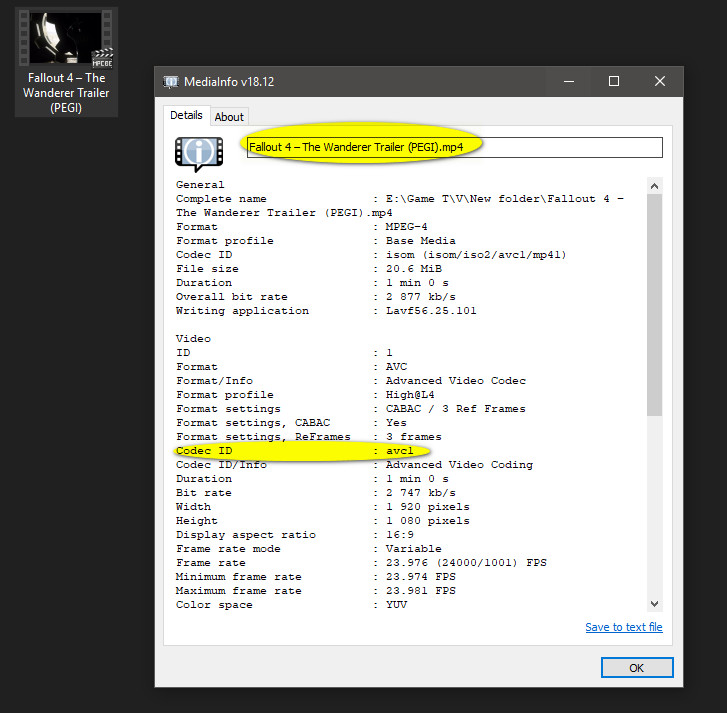
Fabioddq reported a problem while playing .mp4 video in CIU. The screen turns black and only plays the audio of the video. I found out what happens to those who are using the latest versions of K-Lite Codec Pack. The K-Lite developers have altered something in the LAV Video Decoder, it might be that the h264 option was unchecked before (I do not know). With this option checked, the video does not play back the image (Audio only). The LINK has a video on how to make the video work again. At the beginning of the video, if you are installing the K-Lite Codec Pack, and more towards the end of the video shows how to uncheck if you already have K-Lite installed. There's nothing I can do to fix this. Perhaps an update to the "ISMediaLib.dll" library (by altef_4) is required, or even a "LAV Video decoder" fix if it is a bug. Maybe in the future it will work again when activated...
|
| The Following 5 Users Say Thank You to Cesar82 For This Useful Post: | ||
K4miKaZe (11-03-2019), mausschieber (11-03-2019), pakrat2k2 (11-03-2019), Simorq (11-03-2019), zirkhaki (11-03-2019) | ||
|
#12
11-03-2019, 18:13
|
||||
|
||||
|
@Simorq
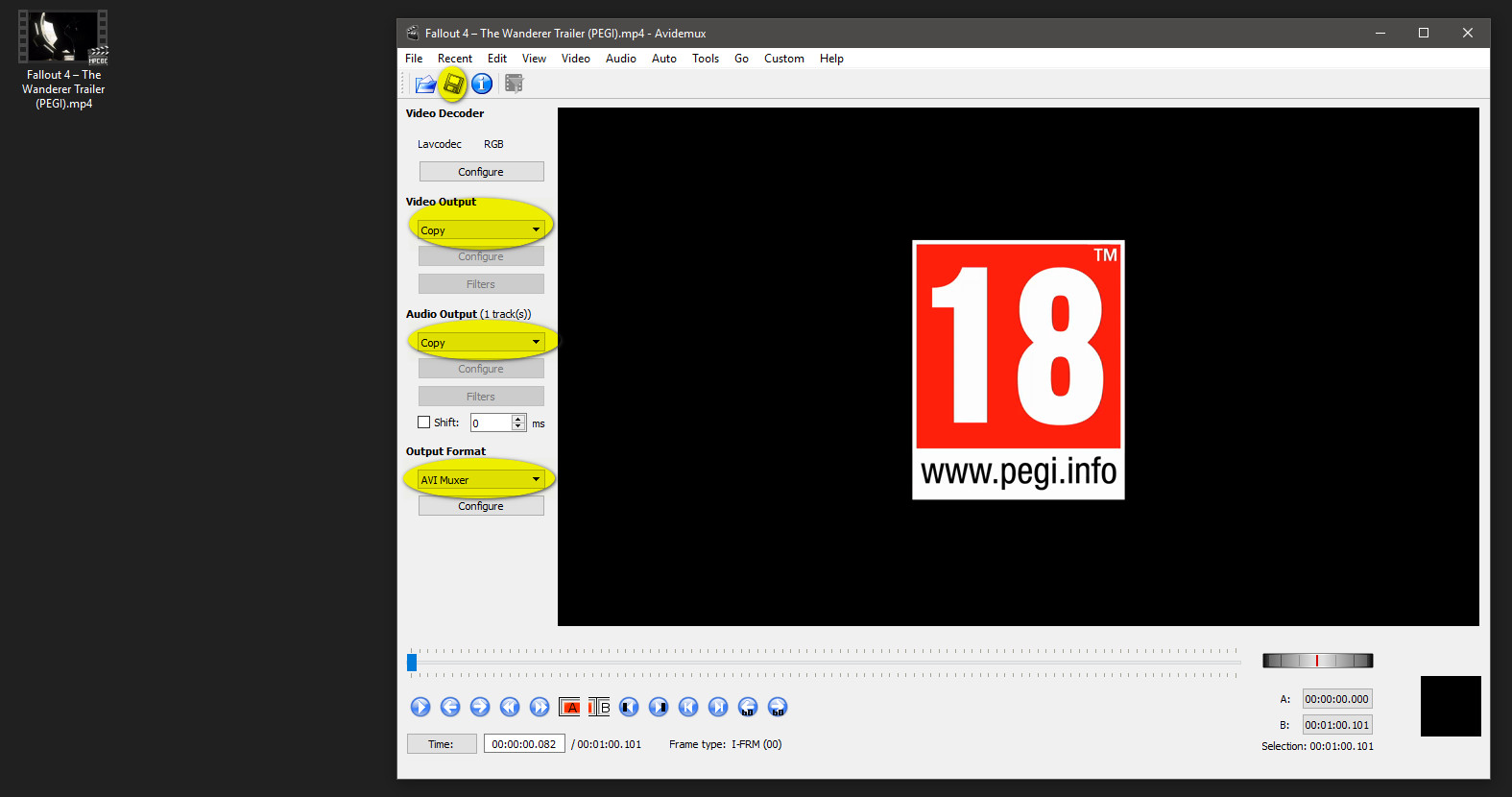
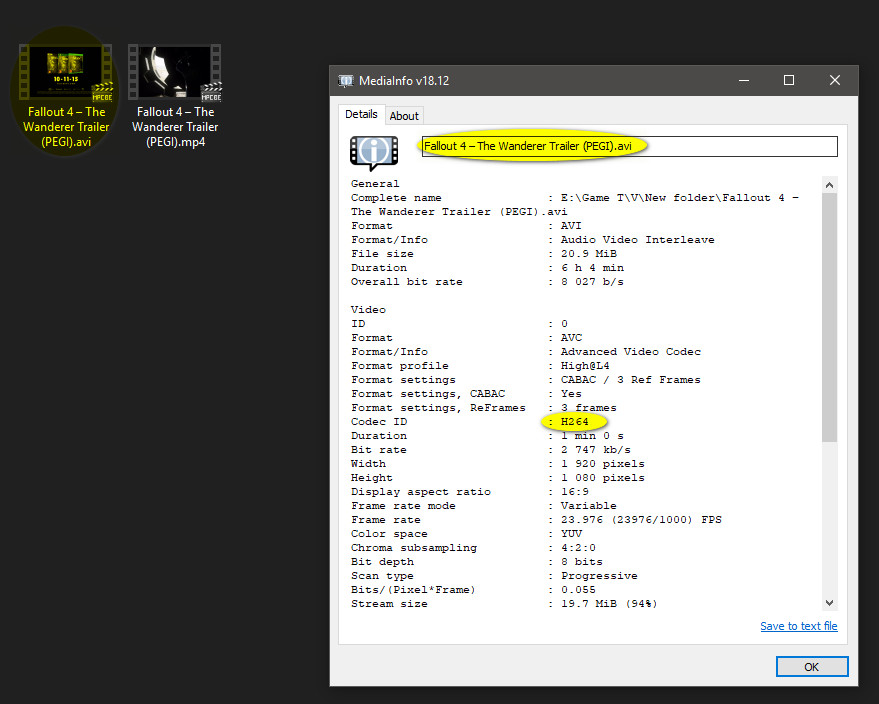
if work, it's a solution, but we usually download the YouTube video and want to use it as it is. The downloaded videos from YouTube that I downloaded a while back work fine, not now. For me here using AVI Demux and using COPY did not work. @Simorq If you want to test, try using this video HERE. Last edited by Cesar82; 11-03-2019 at 22:11.
|
| The Following User Says Thank You to Cesar82 For This Useful Post: | ||
Simorq (12-03-2019) | ||
|
#13
12-03-2019, 12:27
|
||||
|
||||
|
@Cesar82
You're right By Remove "Haali Media Splitter" The screen is black.  It's best to encode the video to XVID.  So even in Windows XP as well as the video is displayed. Last edited by Simorq; 12-03-2019 at 12:30.
|
| The Following 2 Users Say Thank You to Simorq For This Useful Post: | ||
Cesar82 (12-03-2019), wangfeilong0317 (13-08-2019) | ||
|
#14
27-03-2019, 14:47
|
||||
|
||||
|
^That's because this is not a part of public version atm (it is in testing).
If you want to participate in testing this, write Cesar82 a PM 
__________________
Haters gonna hate
|
| The Following 4 Users Say Thank You to KaktoR For This Useful Post: | ||
|
#15
08-04-2019, 05:55
|
|||
|
|||
|
There is a problem with a browse button
I can not move it or put a button back on it 
|
 |
|
|
 Similar Threads
|
||||
| Thread | Thread Starter | Forum | Replies | Last Post |
| INDEX - Conversion Tutorial Index | Razor12911 | Conversion Tutorials | 5 | 11-06-2020 02:05 |
| [GSERIES] Custom Installer Ultimate V2g | Gupta | Conversion Tutorials | 226 | 01-06-2018 13:12 |
| Crysis 3 DVD9 to 3xDVD5 Custom Installer | spawniectes | PC Games - CD/DVD Conversions | 79 | 31-08-2017 07:19 |



 Hybrid Mode
