|
#1
 13-12-2012, 08:45
|
||||
|
||||
|
Game Installer Designer by altef_4
Hi, forum users, here you can get my project, that called Game Installer Designer (or simply GID) about project: this project allow easy create backup installer for your favorite (or not very) game, this is not new idea, to make program like this, something like this you see in yener90's Designer or Razor12911's Conversion Designer. Its designed for my Game Installer (simple name  , i decide to rename my previous Layered Installer, it's idea by Grumpy) , i decide to rename my previous Layered Installer, it's idea by Grumpy)and i try to make designer very easy to use, with current version you can create conversion based on Inno Setup (Internal) or FreeArc|7z|WinRAR|Srep|Precomp|XDelta (External). about Game Installer: used Inno Setup 5.5.5u by Jordan Russell, internal and external compression, based on exclusive libraries created by me (pckr.dll - user data protection, lui.dll work with graphics), playing music during installation, playing sounds on events of buttons(mouse enter, click), using png images with half transparent regions without bmp mask as background, animated or/and simple splash screen before installation, slideshow during installation(.jpg), video during installation(.bik) supported languages: completed: -Albanian (translated by tonet666 and oLtJoN) -Bosnian (translated by JustFun) -Brazilian Portuguese (translated by kassane) -English (translated by me) -German (translated by mausschieber) -Hungarian (translated by georg1136) -Italian (translated by oLtJoN) -Polish (translated by arkantos7) -Russian (translated by me) -Spanish (translated by Logrim) -Ukrainian (translated by me) not completed: Bulgarian, Belarusian, Chinese Traditional, Czech, Danish, Estonian, Finnish, French, Greek, Croatian, Indonesian, Icelandic, Japanese, Korean (North), Korean (South), Lithuanian, Luxemburgish, Latvian, Montenegrian, Macedonian, Mongolian, Malaysian, Norwegian, Portuguese, Romanian, Serbian Cyrillic, Swedish, Slovenian, Slovak, Thai, Turkish, Vietnamese. all of this translations are based on original Inno Setup language files, so, thanks to all autors of this translations. - if you want to complete some of this translations - just open language file of desired language with any text editor, and change it. Q/A, Tutorials Information about current changes, change log, plans for future All previous versions of GID (MEGA link) if you want something to change/add in/to designer or installer - write in comments and i see what i can to do Some screenshots: 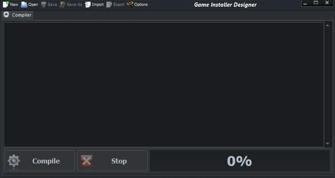 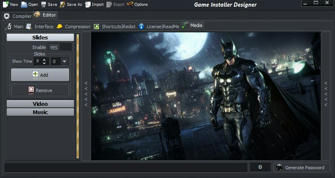 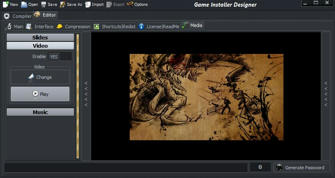 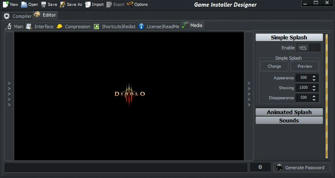 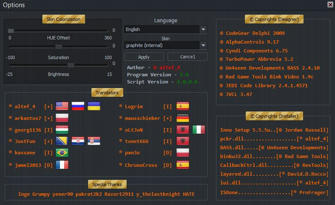 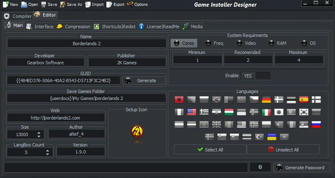 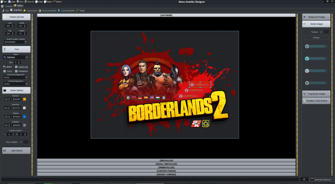 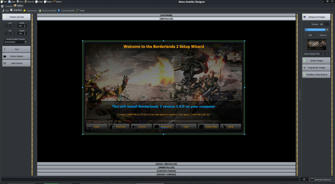
Last edited by altef_4; 30-11-2014 at 05:22. Reason: v1.6 
|
| The Following 102 Users Say Thank You to altef_4 For This Useful Post: | ||
-RAGE- (22-06-2016), abimusic (01-05-2015), ADMIRAL (21-05-2020), Ahora (17-09-2014), aimbot199604 (02-09-2014), alnaloty (20-06-2015), andersondj (25-05-2016), Andu21 (18-05-2017), arkantos7 (14-07-2014), Bilawal (07-04-2015), Black_Angel_Kjh (18-11-2015), Carldric Clement (02-09-2014), ChronoCross (29-01-2015), CipaRus (28-12-2014), clagby (08-02-2020), Code_x (24-05-2015), Dante1995 (08-08-2014), dave22 (24-11-2014), devil777 (23-04-2020), DwarfenKing (08-09-2017), EIDO7 (20-04-2015), EyeSalt (27-02-2018), fireball70 (30-11-2014), FoRMaT-2007 (20-05-2021), Galford (12-10-2015), GaMEr_2077 (23-05-2021), Garasahedov (03-11-2022), Gehrman (09-03-2022), GhostSystem (03-02-2015), Grumpy (11-07-2014), HARDK (28-02-2015), Harsh ojha (18-05-2019), houcine80 (11-07-2014), hpmbot149 (19-06-2016), Inge (11-07-2014), jabervamp (01-09-2020), jamel2013 (14-11-2014), Johan1969 (02-03-2019), joker85 (18-06-2025), JRD! (13-12-2015), JustFun (07-08-2014), kassane (12-07-2014), khadra (25-02-2015), kingahmed696 (23-09-2014), kj911 (31-12-2014), kokousic (22-06-2016), lhanz678 (30-04-2015), lMoyo (14-08-2014), Logrim (11-07-2014), Lorentz82 (22-12-2014), mamed3000 (19-09-2015), Mannypl (08-08-2016), mausschieber (11-07-2014), MMR (26-10-2014), MOSTAPHA_VIP (14-09-2015), ncuz00 (11-05-2015), nebi2003 (10-12-2019), Newbie (20-07-2014), oltjon (11-07-2014), omdj (07-02-2015), pakrat2k2 (11-07-2014), papas (27-08-2016), pat81 (14-06-2020), pcfreaxx (21-06-2015), pcgamer352 (15-08-2014), pebe (04-04-2015), poison (14-07-2014), Prince Soft (05-11-2016), PsYcHo_RaGE (02-03-2018), quake4 (14-08-2014), Razor12911 (11-07-2014), Rekulou (25-05-2021), resck (28-03-2019), Rorschach (10-08-2014), S-Ghost (05-03-2019), sajmon83 (23-09-2019), Sarvagya (05-02-2015), sbalykov (03-03-2016), Shadow Delta (22-07-2014), Simorq (31-12-2014), Sony091090 (08-10-2016), Souvik Giri (07-08-2014), srdmnry (13-05-2019), STB13 (30-11-2017), Stor31 (31-03-2015), TheRaven1 (28-08-2016), thock3d (06-02-2019), TimoT (19-07-2022), Ultro (06-02-2017), wit (14-08-2014), xor7589 (17-04-2015), yasserdivar (16-09-2015), younger28 (27-11-2014), y_thelastknight (11-07-2014), Zanoza79 (17-09-2019), ZAZA4EVER (11-11-2016), Zeibe (06-03-2015), zirkhaki (30-03-2016), ZooG (10-08-2014), zougjaysean (10-10-2014) | ||
| Sponsored Links |
| Tags |
| conversion, designer, editor, game, installer |
|
|
 Similar Threads
|
||||
| Thread | Thread Starter | Forum | Replies | Last Post |
| Is there a file that can help with my game of Skyrim? | Sifesboran | PC Games | 3 | 21-09-2013 19:39 |
| WHat is the point??!!! | Quertas of Atlantis | General Gaming | 6 | 27-05-2006 22:35 |
| What? A pornography game? This game aren’t for me | Tie Wrap | XBox 360 Games | 9 | 19-04-2006 05:51 |
| Age Of Empires III - Patch 1.05 is out! *Major* fixes! | Xophile | General Gaming | 5 | 01-03-2006 14:55 |
| Software to backup dvdps2 games | eastcoastguy | PS2 Games | 16 | 05-12-2002 09:53 |


 Threaded Mode