|
#37
 08-07-2024, 10:32
|
|||
|
|||
|
^^
In HXD, CTRL+F to search for "37 A4 30 EC" as shown in the image below: 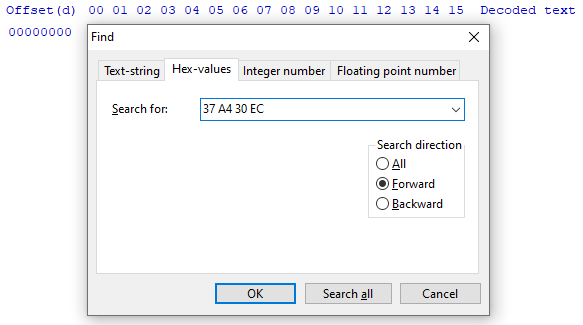 Why are they reversed? Endianness. When you find your result, place your cursor on the "37" byte, change "hex" to "dec" at the top of the screen and press CTRL+E to select a block of data. Select the radio button for length and paste the length of the dictionary in bytes that you found from the p3a_tool info. You will now get a selected section of bytes. CTRL+C to copy and then CTRL+N to open a new file. CTRL+V to paste these bytes (they will appear in red) and CTRL+S to save the file. The bytes will go black when saved. 
|
| The Following User Says Thank You to Masquerade For This Useful Post: | ||
kuyhaa (13-07-2024) | ||
| Thread Tools | Search this Thread |
| Display Modes | |
|
|
 Similar Threads
|
||||
| Thread | Thread Starter | Forum | Replies | Last Post |
| XTool 2020 (Main Project) | Razor12911 | Conversion Tutorials | 715 | 01-08-2026 09:25 |
| XTool - Successor of ZTool | Razor12911 | Conversion Tutorials | 584 | 22-04-2023 18:16 |
| [Dev]XTool | Razor12911 | Conversion Tutorials | 180 | 23-10-2020 06:26 |
| XTool 2019 (Plugins) | Razor12911 | Conversion Tutorials | 50 | 16-05-2020 06:14 |


 Threaded Mode