|
#1081
 22-09-2021, 08:53
|
|||
|
|||
|
Hi,
Any idea why shortcut is a white blank icon? I have this in Settings.ini [Executable1] ShortcutName=Kena Bridge of Spirits ExePath=Kena.exe ExeParam= IconFileName=Kena.exe I even had: IconFileName=Setup.ico Since Setup.ico use icon straight from game .exe file. Still it was white blank image. 
|
| Sponsored Links |
|
#1082
22-09-2021, 09:14
|
||||
|
||||
|
Quote:
IconFileName={app}\Kena.exe
|
| The Following 2 Users Say Thank You to Cesar82 For This Useful Post: | ||
abror (28-05-2022), MartinezPL (23-09-2021) | ||
|
#1083
23-09-2021, 03:36
|
|||
|
|||
|
"IconFileName={app}\Kena.exe"
This made the trick. Thank you very much Cesar82
|
|
#1084
11-10-2021, 01:01
|
||||
|
||||
|
Is it there any easy solution to have multiple data files for single selected component? I'm currently making a collection, with one of the selective titles having to have certain files packed separately. I know I could just instruct the user to select 2 items, but for the sake of it looking better I was wondering if a neater solution would be possible.
I tried modifying Code:
if Trim(GetIniString('ComponentsSettings', 'Component' + IntToStr(I) + '.File', '', IniFile)) = '' then
Code:
ComponentFile := ExpandConstant('{src}\' + GetIniString('ComponentsSettings', 'Component' + IntToStr(CompIndexList[I]) + '.File', '', ExpandConstant('{tmp}\Settings.ini')));
Code:
if Trim(GetIniString('ComponentsSettings', 'Component' + IntToStr(I) + '.FileA' or '.FileB', '', IniFile)) = '' then
Code:
ComponentFile := ExpandConstant('{src}\' + GetIniString('ComponentsSettings', 'Component' + IntToStr(CompIndexList[I]) + '.FileA', '', ExpandConstant('{tmp}\Settings.ini')));
ComponentFile := ExpandConstant('{src}\' + GetIniString('ComponentsSettings', 'Component' + IntToStr(CompIndexList[I]) + '.FileB', '', ExpandConstant('{tmp}\Settings.ini')));
|
|
#1085
11-10-2021, 02:18
|
||||
|
||||
|
Yes, however, you have to enable Tasks
Just make a Task Code:
Task1.Name=Game Files Task1.ItemType=CHECKBOX Task1.Size=<Game size> gb/mb/kb/b Task1.Level=0 Task1.Checked=1 Task1.Enabled=0 Code:
[Record1]
Type=Freearc_Original
Source={src}\Data1a.bin
Output={app}\
Disk=1
Size=<archive size> gb/mb/kb/b
Task=1

[Record2]
Type=Freearc_Original
Source={src}\Data1b.bin
Output={app}\
Disk=1
Size=<archive size> gb/mb/kb/b
Task=1

...
But may I ask, why you don't make a masked data archive? You can store different files with different compressions inside a single freearc archive. Edit: Ohh, I just forgot you are working with an older script (right?). In this case I can't help you much, but I guess it is possible neverthless (I guess in this case you have to work with Component=# instead of Task=# in records.ini).
__________________
Haters gonna hate
Last edited by KaktoR; 11-10-2021 at 02:22.
|
|
#1086
11-10-2021, 03:24
|
||||
|
||||
|
Quote:
Quote:
|
|
#1087
03-12-2021, 18:30
|
||||
|
||||
|
Odd question considering it's been a few months without a new post on this thread, but what does it mean when the installer outputs a unarc -6 error (unable to read data)? Someone was talking to me about it and I have no clue - I never received this error and decompression worked fine on my machines.
__________________
forgot the pass & email I used on my old account lmao Last edited by its_gnar_again; 03-12-2021 at 18:37.
|
|
#1088
30-03-2022, 12:47
|
|||
|
|||
|
Please, DelSaveGame in script
|
|
#1090
30-03-2022, 14:58
|
|||
|
|||
|
Quote:
|
|
#1091
31-03-2022, 00:44
|
||||
|
||||
|
Try this
Add to Settings.ini Code:
[Settings]
...
...
Savegamefolder={userdocs}\Final Fantasy VII
__________________
Haters gonna hate
Last edited by KaktoR; 31-03-2022 at 03:01.
|
|
#1092
31-03-2022, 13:49
|
|||
|
|||
|
Thanks very much
can I put several like Savegamefolder1, Savegamefolder2?
|
|
#1093
04-04-2022, 13:52
|
|||
|
|||
|
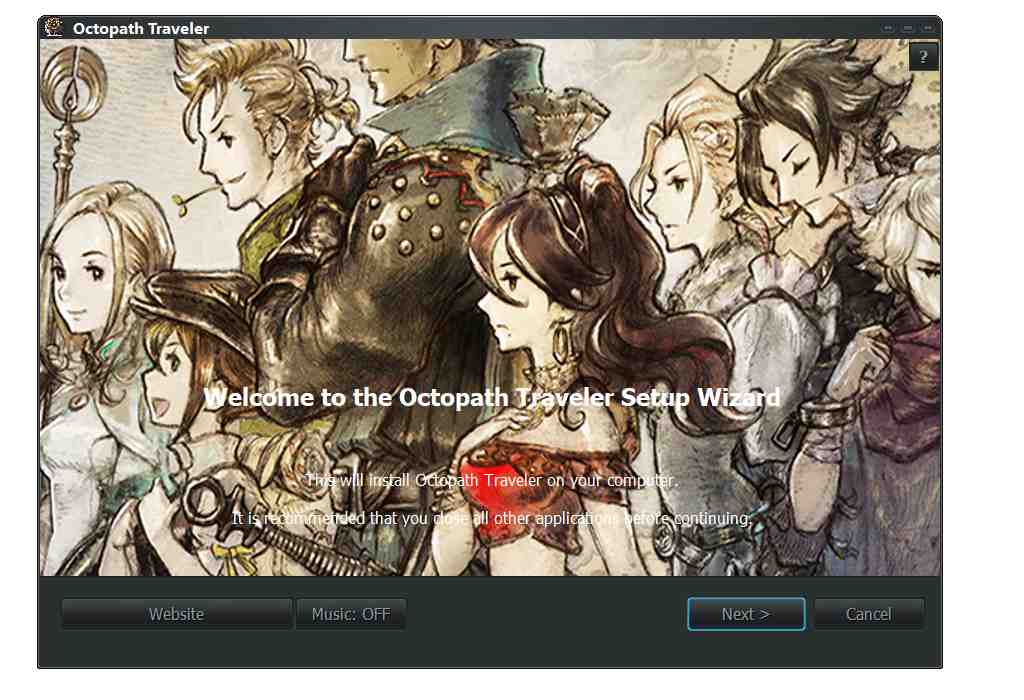
hello, is it possible to add a small equalizer just above the music OFF/ON button
|
|
#1095
06-04-2022, 10:10
|
||||
|
||||
|
You have to make it manualy in your bitmap image. There is a _Background.psd file which contains this half transparent border for example reasons (75% opacity).
 Maybe one day I will add PNG images for it  But actually this project is finished from my side if there are no bugs around. But actually this project is finished from my side if there are no bugs around.
__________________
Haters gonna hate
|
| The Following User Says Thank You to KaktoR For This Useful Post: | ||
Rainiu (06-04-2022) | ||
 |
| Thread Tools | Search this Thread |
| Display Modes | |
|
|
 Similar Threads
|
||||
| Thread | Thread Starter | Forum | Replies | Last Post |
| [Help] need Advanced Installer script with Razor1911's UltraArc module | rez3vil | Conversion Tutorials | 3 | 15-04-2024 02:24 |
| Portable Installer Inno Setup Script | y_thelastknight | Conversion Tutorials | 59 | 23-10-2020 00:02 |
| INDEX - Conversion Tutorial Index | Razor12911 | Conversion Tutorials | 5 | 11-06-2020 02:05 |
| Simple Arc Installer | 78372 | Conversion Tutorials | 1 | 15-06-2017 15:37 |
| MSC+Srep+lzma Simple Script Example | gozarck | Conversion Tutorials | 10 | 07-09-2015 16:31 |




 Linear Mode

