|
|
|
#2
 28-07-2018, 13:48 |
||||
|
||||
|
Quote:
__________________
Practice makes perfect. 
|
|
#3
28-07-2018, 14:40
|
|||
|
|||
|
https://www.fileforums.com/showthrea...=96619&page=69
UltraARC 2900 R5 Stable Release &Animated Installer v0.0.1 support for compression features can we make it compatible ?
|
|
#4
28-07-2018, 14:46
|
||||
|
||||
|
Quote:
__________________
Practice makes perfect.
|
|
#6
28-07-2018, 14:57
|
||||
|
||||
|
Quote:

__________________
Practice makes perfect.
|
|
#7
29-07-2018, 01:29
|
||||
|
||||
|
use this for Round edges of form
[code] function CreateRoundRectRgn(p1, p2, p3, p4, p5, p6: Integer): THandle; external 'CreateRoundRectRgn@gdi32 stdcall'; function SetWindowRgn(hWnd: HWND; hRgn: LongWord; bRedraw: BOOL): Integer; external '[email protected] stdcall'; procedure InitializeWizard; var RegisterWizardform : HWND; begin with TLabel.Create(WizardForm) do begin Parent:=WizardForm; SetBounds(25,364,0,0); Font.Style := [fsBold]; AutoSize:=true; Font.Size := 12; Font.Color:={#FontColor}; Font.Name:='{#FontName}'; Caption:=('Coded by JRD'); end; RegisterWizardform:= CreateRoundRectRgn(0, 0, WizardForm.Width, WizardForm.Height, 5, 5); SetWindowRgn(WizardForm.Handle, RegisterWizardform, True); end; and change the 5,5 value to anything u want ,like if u change it to 250,250 it will make the form round
|
|
#8
29-07-2018, 04:19
|
||||
|
||||
|
Hi, for the little anecdote, I made the screenshots with greenshot, it's the software that rounds the corners of the window, is when I saw that, I thought it would be good add the rounds to the angles, and I see that you thought the same thing

__________________
Practice makes perfect.
|
| The Following 3 Users Say Thank You to JRD! For This Useful Post: | ||
|
#9
23-10-2018, 14:51
|
|||
|
|||
|
Animated Installer UltraARC 2900 R5 will the update come ?
Yes opening logosu and music if you know how to support, we'il use it. Last edited by masen485; 23-10-2018 at 14:55.
|
|
#10
23-10-2018, 16:42
|
||||
|
||||
|
You have to modify the UltraArc module so that it is compatible with the script, so that UltraArc decompresses only what the preprocessor directives allow.
I'm not really motivating to do that, the purpose of this script being mainly to publish the basic animation functions it contains. I reupload the script with the functions ask, see the first post.
__________________
Practice makes perfect.
|
|
#11
29-10-2018, 06:54
|
|||
|
|||
|
Animated installer 1.0
PLEASE REMOVE THESE SUBSTANCES THAT ARE NOT USED COMPONENTS > PLEASE REMOVE THIS SECTION READY > PLEASE REMOVE THIS SECTION Last edited by masen485; 29-10-2018 at 10:36.
|
|
#12
29-10-2018, 11:05
|
||||
|
||||
|
Quote:
|
|
#13
30-10-2018, 17:53
|
||||
|
||||
|
Disable the defines provided for this purpose:
__________________
Practice makes perfect.
|
| The Following User Says Thank You to JRD! For This Useful Post: | ||
pakrat2k2 (31-10-2018) | ||
|
#15
30-10-2018, 18:19
|
|||
|
|||
|
Animated installer 1.0 UltraARC (v2.9.0.0 R6 is compatible ?
UltraARC (v2.9.0.0 R6 Animated installer 1.0 does it know how to add easily? can I get some help? Hello, JRD! I'm asking you to help me. I'll show you three pictures. 1 - Picture Picture description : Picture CancelButton = Turkish How can I change translation  2 - Picture Picture description : CancelButton = Turkish How can I change I tried everything.  3 - Picture Picture description :Help to translate the Exit Setup box contents to Turkish  Hello, JRD! I'm asking you to help me. 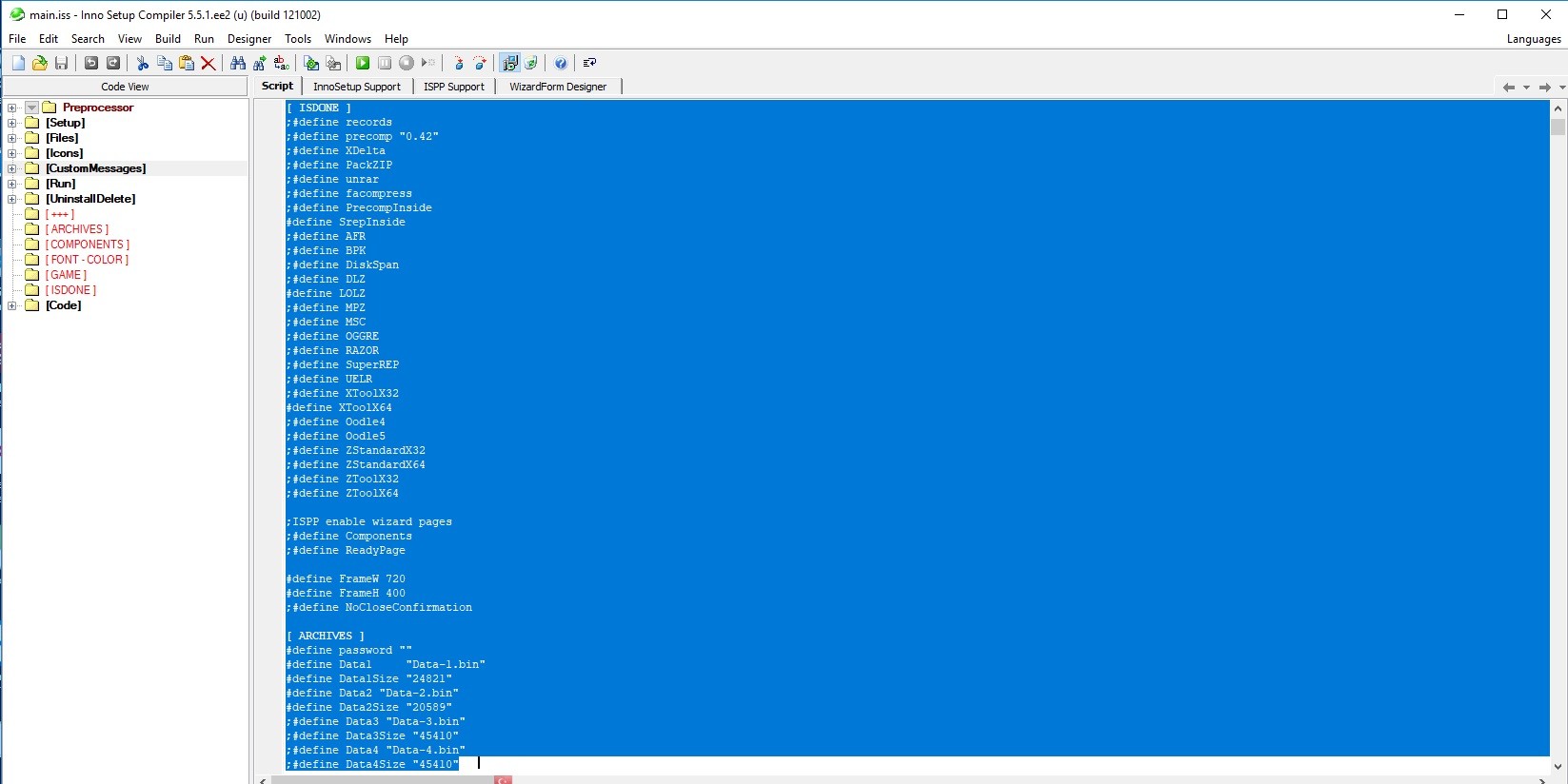   Picture 1 and 2 Tools Script plugin my goal is to add the selected tools you see in 3,  All the file content you see in the pictures This file is also AnimatedScript.rar - 39.8 MB Last edited by pakrat2k2; 06-11-2018 at 12:09. Reason: begging
|
 |
| Thread Tools | Search this Thread |
| Display Modes | |
|
|
 Similar Threads |
||||
| Thread | Thread Starter | Forum | Replies | Last Post |
| Conversion Designer/Installer Creator | Razor12911 | Conversion Tutorials | 1613 | 03-10-2024 02:24 |
| altef_4's installer | altef_4 | Conversion Tutorials | 244 | 24-05-2024 23:20 |
| Game Installer Designer by altef_4 | altef_4 | Conversion Tutorials | 236 | 28-05-2021 03:54 |
| Crysis 3 DVD9 to 3xDVD5 Custom Installer | spawniectes | PC Games - CD/DVD Conversions | 79 | 31-08-2017 08:19 |
| Tutorial using CI 8.0.0 | yener90 | Conversion Tutorials | 424 | 21-10-2014 10:49 |


 Hybrid Mode

