HTML Code:
[Setup]
AppName=Inno Setup Multimedia Library
AppVersion=2.0
CreateAppDir=no
OutputDir=.\

[Files]
Source: ISMediaLib.dll; Flags: dontcopy

[Code]
type
  TDXPlayerState = (DXUninitialized, DXInitialized, DXPlaying, DXPaused, DXStoped);
  TDirectShowEventProc = procedure(EventCode, Param1, Param2: Integer; State: TDXPlayerState);

function MLibGetL:integer; external 'MLibGetL@{tmp}\ISMediaLib.dll stdcall delayload';
function MLibGetT:integer; external 'MLibGetT@{tmp}\ISMediaLib.dll stdcall delayload';
function MLibGetW:integer; external 'MLibGetW@{tmp}\ISMediaLib.dll stdcall delayload';
function MLibGetH:integer; external 'MLibGetH@{tmp}\ISMediaLib.dll stdcall delayload';
function MLibGetVolume:Longint; external 'MLibGetVolume@{tmp}\ISMediaLib.dll stdcall delayload';
function MLibGetBalance:Longint; external 'MLibGetBalance@{tmp}\ISMediaLib.dll stdcall delayload';
function MLibGetCurTime:double; external 'MLibGetCurTime@{tmp}\ISMediaLib.dll stdcall delayload';
function MLibGetMaxTime:double; external 'MLibGetMaxTime@{tmp}\ISMediaLib.dll stdcall delayload';
function MLibGetVisibility:Boolean; external 'MLibGetVisibility@{tmp}\ISMediaLib.dll stdcall delayload';
procedure MLibAddVideo(WindowHandle: HWND; FileName: PAnsiChar; Left, Top, Width, Height: Integer; Callback: TDirectShowEventProc); external 'MLibAddVideo@{tmp}\ISMediaLib.dll stdcall delayload';
procedure MLibSetPosition(Left, Top, Width, Height: Integer); external 'MLibSetPosition@{tmp}\ISMediaLib.dll stdcall delayload';
procedure MLibFree; external 'MLibFree@{tmp}\ISMediaLib.dll stdcall delayload';
function MLibInit: Boolean; external 'MLibInit@{tmp}\ISMediaLib.dll stdcall delayload';
procedure MLibPlay; external 'MLibPlay@{tmp}\ISMediaLib.dll stdcall delayload';
procedure MLibStop; external 'MLibStop@{tmp}\ISMediaLib.dll stdcall delayload';
procedure MLibPause; external 'MLibPause@{tmp}\ISMediaLib.dll stdcall delayload';
procedure MLibSetVolume(Volume: LongInt); external 'MLibSetVolume@{tmp}\ISMediaLib.dll stdcall delayload';
procedure MLibSetBalance(Balance: LongInt); external 'MLibSetBalance@{tmp}\ISMediaLib.dll stdcall delayload';
procedure MLibSetCurTime(llTime: double); external 'MLibSetCurTime@{tmp}\ISMediaLib.dll stdcall delayload';
procedure MLibSetVisibility(Visible: Boolean); external 'MLibSetVisibility@{tmp}\ISMediaLib.dll stdcall delayload';
////////////////////////////////////////////////////////////////////////////
function FillRect(hDC: THandle; const lprc: TRect; hbr: THandle): Integer; external '[email protected] stdcall';
function GetClientRect(hWnd: HWND; var lpRect: TRect): BOOL; external '[email protected] stdcall';
function CreateSolidBrush(p1: TColor): THandle;external '[email protected] stdcall';
function SetLayeredWindowAttributes(hwnd:HWND; crKey:Longint; bAlpha:byte; dwFlags:longint ):longint;
  external 'SetLayeredWindowAttributes@user32 stdcall';
function SetWindowLong(hWnd: HWND; nIndex: Integer; dwNewLong: Longint): Longint;
  external '[email protected] stdcall';
function GetWindowLong(Wnd: HWnd; Index: Integer): Longint; external '[email protected] stdcall';
function SetWindowPos(hWnd, hWndInsertAfter, X, Y, cx, cy, wFlags: Longint):Boolean;
  external '[email protected] stdcall';
////////////////////////////////////////////////////////////////////////////
procedure Cback(EventCode, Param1, Param2: Integer; State: TDXPlayerState);
begin
  if EventCode = $01 then MLibSetCurTime(0);
end;

procedure MFPaint(Sender: TObject);
var
R:TRect;
begin
GetClientRect(MainForm.Handle,R);
FillRect(MainForm.Canvas.Handle,R,CreateSolidBrush($80000));
end;

procedure WFMoved(Sender: TObject);
begin
  SetWindowPos(MainForm.Handle,0,WizardForm.Left,WizardForm.Top,0,0,$515);
end;

function InitializeSetup(): Boolean;
begin
ExtractTemporaryFile('ISMediaLib.dll');
result:=MLibInit;
end;

procedure InitializeWizard;
begin
WizardForm.Color:= $80000;
WizardForm.OuterNotebook.Hide;
WizardForm.InnerNotebook.Hide;
MainForm.Width:=WizardForm.Width;
MainForm.Height:=WizardForm.Height;
MainForm.BorderStyle:=WizardForm.BorderStyle;
MainForm.OnPaint:=@MFPaint;
SetWindowLong(WizardForm.Handle, -20, GetWindowLong(WizardForm.Handle, -20) or $00080000);
SetLayeredWindowAttributes(WizardForm.Handle, WizardForm.Color, 0, 1);
MLibAddVideo(MainForm.Handle, ExpandConstant('{src}\Video.avi'), 0, 0, MainForm.Width, MainForm.Width ,@Cback);
MainForm.Show;
with TTImer.Create(WizardForm) do begin
   OnTimer:=@WFMoved;
   Interval:=1;
end;
end;


procedure CurPageChanged(CurPageID: Integer);
begin
  MLibSetVisibility(False)
  case CurPageID of
    wpWelcome:
    begin
       MLibSetVisibility(True);
       MLibPlay;
    end;
    wpSelectDir:
    MLibStop
  end;
end;

procedure DeinitializeSetup;
begin
  MLibFree;
end;
 16-09-2020, 12:49
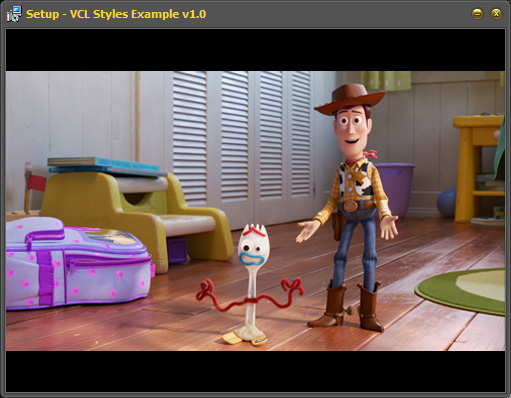
 Play Video Before Welcome Page


 Similar Threads


 Hybrid Mode
