|
#1
 20-09-2016, 16:11
|
||||
|
||||
 Adblock Plus
Some time ago, apparently, GameCopyWorld got fed up with people using Adblock Plus (https://adblockplus.org/, watch out for malicious clones!..
 ) and a download generated-link will display a Warning! page: ) and a download generated-link will display a Warning! page: Code:
http://rd1.gamecopyworld.click/1fUo Quote:
There are two (different) questions,
And WHY would the message appear in a browser which does NOT have the (Adblock Plus) Add-on installed? o.0 After having used GCW for many years (probably over a decade, now), I no longer have access to any of its software downloads.  Any help, please?? P.S. Screenshots attached and are also uploaded: 1) Firefox,  & 2) Comodo, http://imgur.com/yGCHJAZ 
|
| Sponsored Links |
|
#2
22-09-2016, 09:33
|
||||
|
||||
|
I could reproduce exactly the same the problem with Firefox 43, but only with Adblock Plus enabled. (True, nothing happens if you press Continue.) If I disable Adblock Plus - not even restarting Firefox is required, just reload the page -, the ad gets displayed, I skip it and download the file.
(Funnily enough, I also chose the page of DOOM [2016] for testing, even before looking at your screenshot. )Could you try an older version of Firefox? Perhaps, newer Firefoxes themselves block some pages (malware blacklist?), even without the help of Adblock Plus. Also, create a new Firefox profile, with default settings, and try again; if you can download files then it's something in your current settings that blocks this page. [...] Actually, I could download files with Opera 12.18 and very restricted default settings, eased off for these particular sites. It may be cookies being blocked...
__________________
Joe Forster/STA For more information, see the FileForums forum rules and the PC Games forum FAQ! Don't contact me via E-mail or PM to ask for help with anything other than patches (or software in general) done by me, otherwise your request may be deleted without any reply! Homepage: http://sta.c64.org, E-mail: [email protected]; for attachments, send compressed (ZIP or RAR) files only, otherwise your E-mail will bounce back! Last edited by Joe Forster/STA; 22-09-2016 at 09:43.
|
| The Following User Says Thank You to Joe Forster/STA For This Useful Post: | ||
nimd4 (24-09-2016) | ||
|
#3
23-09-2016, 07:33
|
|||
|
|||
|
We are not "fed up" with users using an adblocker (I am using it myself for some types of sites) and we in no way try to stop users from using an adblocker (even though it really hurts us with >50% adblock visitors...)
The problem described is a known "problem" when using an active adblocker and should not be a problem when it is disabled! I am also using the latest FF. It is not caused by GCW but it is a "bug" from Adf.ly adblocking page! This problem has already been reported some time ago to Adf.ly but for some reason they have not fixed this yet... Their "Continue" button has been working fine before, but this system broke down because of a new filter-rule which is in use in ABP/uBlock/etc. So better blame this new filter-rule for crapping up... I'll try to contact Adf.ly again to have this fixed EMPiRE
|
|
#4
23-09-2016, 08:56
|
|||
|
|||
|
Just tested it again with FF and it works perfectly fine using FF & ABP disabled, with ABP enabled it shows the picture below
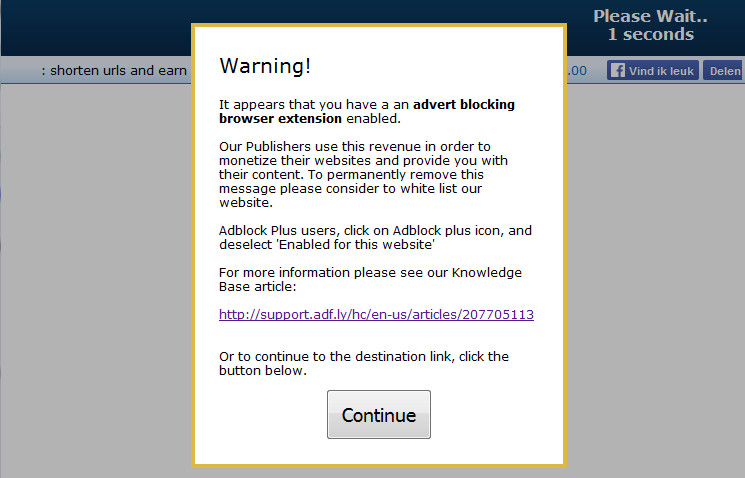 In Chrome + uBlock (enabled) the Adf.ly adblocking page is filtered too much by uBlock causing the non-functional "Continue" button, see below 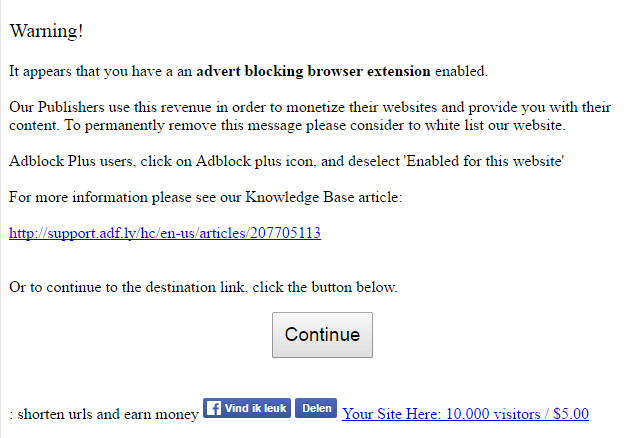 @ nimd4: As for a solution for your problem, you should also disable ABP for: gamecopyworld.click If the problem still persists then set ABP to the default settings & filters/lists And maybe you are running 2 adblockers at the same time (e.g. ABP + uBlock) EMPiRE
|
|
#5
24-09-2016, 13:25
|
||||
|
||||

TYVM for the replies, guys!..
 Alright, so, teh AdFly account details have an option: "Stop Adblock users: Yes No (what is this?)" which is, unfortunately, enforced. Not having any luck, for some reason, can't figure out what's the trigger; how IceDragon thinks that Adblock Plus is installed (http://imgur.com/a/7iRqp), when it is not: http://imgur.com/a/CHryC. :-/ ... I suppose that I'll -just- throw-on Opera, or something & give it another whirl (because, what else to do; heh. )P.S. Something RLY strange is going on, usually I'm in control over the PC - but, in this case, I'm clueless, stumped. Download page displays broken images, while they're loading just fine - on their own. Somehow this Window$ 10 b0x got screwy, meh. Upped those screens, Attachments: Last edited by nimd4; 24-09-2016 at 13:43. Reason: Screenshots resized, trying to make 'em smaller!
|
|
#6
26-09-2016, 08:24
|
|||
|
|||
|
I am sure that there is a problem as we can see this clearly back in the Adf.ly statistics since 12-9-2016
The problem is that we can not replicate this problem... If a adblocker (ABP or uBlock) is disabled then there is absolutely no problem (in FF & Chrome, both latest versions) So it must be a combination of add-ons or Browser settings which is causing this! The adblock settings on our Adf.ly account is set to "No", which means that Adf.ly will not stop or force Adblock users to disable their Adblocker, so Adf.ly will show the "Warning!" popup + "Continue" button instead. It is beyond me why some Adblockers will try to f*ckup this popup as it is there to "help" an adblock user!! I have send Adf.ly a support ticket, hope they will fix this asap
|
|
#7
26-09-2016, 08:27
|
|||
|
|||
|
A "fix" has been installed to temporarily "bypass" this problem until a real fix is available from adf.ly!
On the first GCW download page use this to select different redirect services:
|
| The Following User Says Thank You to EMPiRE For This Useful Post: | ||
Grumpy (26-09-2016) | ||
 |
|
|


 Linear Mode

