|
|
|
#1
 09-09-2023, 07:15
|
|||
|
|||
|
First of all, thanks @Cesar82 for the wonderful tool.
Just thought i'dd report a little GUI bug, in the predefined compression method window, the scrollbar does not really scroll. There is only a top of the list or bottom of the list option. This causes some of the options (predefined method new [20]), not to be visible, unless the users selects an option, and uses the arrow keys to scroll up/down. just to visualize: https://uptostream.com/a44if9kbpedu Last edited by Mordaur; 09-09-2023 at 07:40. 
|
| Sponsored Links |
|
#2
09-09-2023, 17:39
|
||||
|
||||
|
Do you use Windows scaling other than 100%?
If so which one? Here it works normally. It displays the 2 new items on the first screen, and if you scroll, it displays the 2 old items. try using scale 100%...
|
| The Following User Says Thank You to Cesar82 For This Useful Post: | ||
Mordaur (10-09-2023) | ||
|
#3
10-09-2023, 00:14
|
|||
|
|||
|
^ I use a dual monitor setup. 1440p at 125% scaling (else its to small to read anything of the screen), and a 1080p at 100% scaling. most apps adjust to the scaling when I drag them over, but this GUI apparently doesn't. it indeed starts up with the 125% scaling which screws with the list view. at 100% scaling it visualizes as intended, but barely readable for me
 Anyway, I've set the DPI scaling override in the Compatibility tab, to System (Enhanced) and that works as intended. Thanks for the tip. As nobody else was reporting this, it had to be me. Forgot about the scaling I had set.
Last edited by Mordaur; 10-09-2023 at 00:43.
|
|
#4
12-09-2023, 10:51
|
||||
|
||||
|
Quote:
|
| The Following User Says Thank You to Cesar82 For This Useful Post: | ||
Mordaur (12-09-2023) | ||
|
#5
12-09-2023, 12:23
|
||||
|
||||
|
DiskSpan GUI v2.0.1.9
Updated DiskSpan GUI to v2.0.1.9 in the first post (It took a while, but it came out).
Code:
- Added XTool plugin "Starfield (R1)".
- Added XTool plugin "Insomniac Engine (R2)".
- Added required size edit in developer mode to reserve size in first disk.
- Added radio buttons on each "Data #" tab (Developer mode), and a combobox that you change all items at once to one of the supported modes.
  >> Now you choose disk expanning using "CLS-DiskSpan.dll", SPLIT mode (using "SplitLib.dll"), or even not split destination Data#.bin file.
  >> If you choose not to use any "spanning disk" mode, the disk size may become larger than the maximum supported by the chosen disk.
- Added XTool plugin "Divinity"
  >> Supported games: "Divinity: Original Sin [Enhanced Edition]" and "Divinity: Original Sin 2 [Definitive Edition]".
- Updated XTool plugin "Bink Video" to prevent error messages on some bk2 input files.
- Updated key list for Unreal Engine games (with some news keys).
- Updated XTool plugin "Unreal Engine (R13)"
- Updated XTool plugin "PlayStation Archive (R3)"
- Updated XTool precompressor from v0.7.1 to v0.7.9
- Updated LZMA SDK compressor from v22.01 to v23.01 (2023-06-20).
- Updated 7-Zip compressor from v23.00 beta to v23.01 (2023-06-20).
- Updated SplitLib.dll library to v1.0.0.3 build 2307630.
- Updated XHashEx.dll library to v1.0.0.0 build 230729 no UPX version.
- Updated UnRAR.exe/UnRAR.dll decompressor from v6.22 to v6.23 (DLL 6.23.100.944).
- Updated DiskSpan GUI database to version 1.0.7.4 (Thanks to KaktoR).
  >> Now with 378 game presets and 29 collection presets.
- Fixed height size in directory folder tree view (directory selection page).
- Fixed decompression errors, or no inflation during precompression when using methods based on the "lzo2.dll" library.
  >> Now using the new library provided by razor12911 it is no longer necessary to have Visual C++ 2010 installed.
  >> This way it fixed methods based on lzo2.dll even if executed in systems that don't have "Visual C++ 2010" installed.
  >> Methods fixed: xt_lzo, xtool:manvil:lzo, xtool:mfc3, xtool:mfc4, lzorec.
- Removed game "Unravel 2" from "database".
- Removed XTool methods LZ4 (Experimental), LZ4HC (Experimental), Hydra (Experimental), Leviathan (Experimental)
  >> They cannot directly used as precompressor. Only for detecting streams in verbose mode (-v parameter or xtoolui) to make plugins, nothing more.
  >> LZ4F is the only one which can directly be used.
|
| The Following 7 Users Say Thank You to Cesar82 For This Useful Post: | ||
hdneo (12-09-2023), KaktoR (12-09-2023), Lord.Freddy (13-09-2023), mausschieber (12-09-2023), murphy78 (14-09-2023), Prettyboy099 (16-09-2023), Tigru (14-09-2023) | ||
|
#6
13-09-2023, 11:00
|
||||
|
||||
|
Normally if you use xtool:dd#, DSG is using srep 3.92 as default. You can change the srep version with the following options:
Code:
xtool:dd#:392/393a/393b
__________________
Haters gonna hate
|
| The Following 2 Users Say Thank You to KaktoR For This Useful Post: | ||
Cesar82 (13-09-2023), Lord.Freddy (13-09-2023) | ||
|
#7
18-09-2023, 15:56
|
|||
|
|||
|
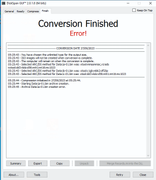
an error occurred when downloading one or more plugins
|
|
#8
18-09-2023, 17:45
|
||||
|
||||
|
Quote:
Then wait a few hours and try again and the missing items will be downloaded without error. I always recommend downloading only the plugin for the game that you will need in your conversion so as not to share plugins for other games that will never be used in conjunction with your current conversion.
|
|
#10
26-09-2023, 23:51
|
||||
|
||||
|
Quote:
__________________
It would be nice if you appreciate my work with the thanks Button
|
|
#11
27-09-2023, 08:38
|
||||
|
||||
|
Looks like no files were found
Edit: I see, you are using outdated DSG version. Update to latest version, because the link for the plugin for "ratchet and clank" has changed I guess.
__________________
Haters gonna hate
Last edited by KaktoR; 27-09-2023 at 08:42.
|
| The Following User Says Thank You to KaktoR For This Useful Post: | ||
exorc (27-09-2023) | ||
|
#12
27-09-2023, 21:13
|
|||
|
|||
|
Quote:

|
|
#13
27-09-2023, 08:45
|
||||
|
||||
|
Here is a hotfix for DSG, which César send me a week ago.
Just fixed a component issue if you load collections from database. I also included the new xtool hotfix release from some days ago.
__________________
Haters gonna hate
|
| The Following 9 Users Say Thank You to KaktoR For This Useful Post: | ||
Cesar82 (27-09-2023), exorc (27-09-2023), hdneo (13-10-2023), kj911 (28-09-2023), Lord.Freddy (27-09-2023), mausschieber (27-09-2023), mykhydro (31-01-2024), Proxson (11-10-2023), sajmon83 (26-12-2023) | ||
|
#14
11-10-2023, 07:09
|
||||
|
||||
|
You cannot set l# option for zstd.
Sample It should look like this Code:
Compressed 1 file, 140,845,564 => 278,905,808 bytes. Ratio 198.02% Compression time: cpu 0.09 sec/real 1.59 sec = 6%. Speed 88.60 mB/s All OK - [External compressor:xtooltest] header = 0 packcmd = xtool.exe precomp -mzstd,l3 -c128mb -t100p --diff=5p - - <stdin> <stdout> unpackcmd = xtool.exe decode -t75p - - <stdin> <stdout> Code:
Compressed 1 file, 31,100,005 => 31,811,453 bytes. Ratio 102.29% Compression time: cpu 0.02 sec/real 0.68 sec = 2%. Speed 46.03 mB/s All OK - xtool:mzstd,l3:df5p:zstd_130 I guess it would be better in next version to revamp the fast-lzma2 option to something different. Or add "l?" to zstd method aswell, like in oodle.
__________________
Haters gonna hate
|
|
#15
01-01-2024, 20:19
|
||||
|
||||
|
Updated Inno Setup Repack 6.05 with updated tools.
|
| The Following 5 Users Say Thank You to Cesar82 For This Useful Post: | ||
Corrupt Soldier (08-01-2024), Lord.Freddy (01-01-2024), mausschieber (02-01-2024), pcblizzard (02-01-2024), Titeuf (02-01-2024) | ||
 |
| Tags |
| cls-diskspan, compressor, diskspan, diskspan_gui |
|
|
 Similar Threads
|
||||
| Thread | Thread Starter | Forum | Replies | Last Post |
| How to use diskspan bat | mausschieber | Conversion Tutorials | 13 | 14-01-2026 19:20 |
| DiskSpan on Linux | hydefromt70s | Conversion Tutorials | 1 | 15-10-2020 07:12 |
| DiskSpan FreeArc returns an error | Titeuf | Conversion Tutorials | 2 | 18-07-2020 01:46 |
| CIU 3.0.0.0.u3 (2019-03-28) - Diskspan Issues | mesut28 | Conversion Tutorials | 17 | 30-03-2019 02:28 |
| R.G. Gamers DiskSpan | Simorq | Conversion Tutorials | 1 | 28-10-2017 08:22 |




 Hybrid Mode
