Quote:
Originally Posted by bird2026

Hello sajmon83, could you please create a tutorial video for the DiskSpan GUI SFX builder?
|
Nowadays, you can configure almost everything via the DiskSpan GUI or the `config.toml` file. Each option in `config.toml` is documented (there aren't many, so further explanation shouldn't be necessary).
Method 1:
Using the DiskSpan GUI
1. Launch the DiskSpan GUI in Developer MODE.
2. Configure the settings under the "General" tab. Click "Save," then select "No."
3. In `config.toml`, change `mode = "after"` to `mode = "before"`.
4. Based on the settings you entered in the DiskSpan GUI (in Developer MODE), run `Build SFX.bat`.
5. Run `DiskSpan_GUI.exe` and perform the compression.
Method 2:
1. Run `DiskSpan_GUI.exe` and perform the compression.
2. Configure `config.toml` (ensure `mode` is set to `"after"`).
3. Run `Build SFX.bat`.
PS: Oh, I forgot xD that the DSG hasn't been updated yet. For method 1, you need to use
DSG 2.0.2.5 beta 3 HF
Or wait for the "DSG 2.0.2.5 final" version|
Quote:
Originally Posted by bird2026
I don't know where I'm making a mistake.
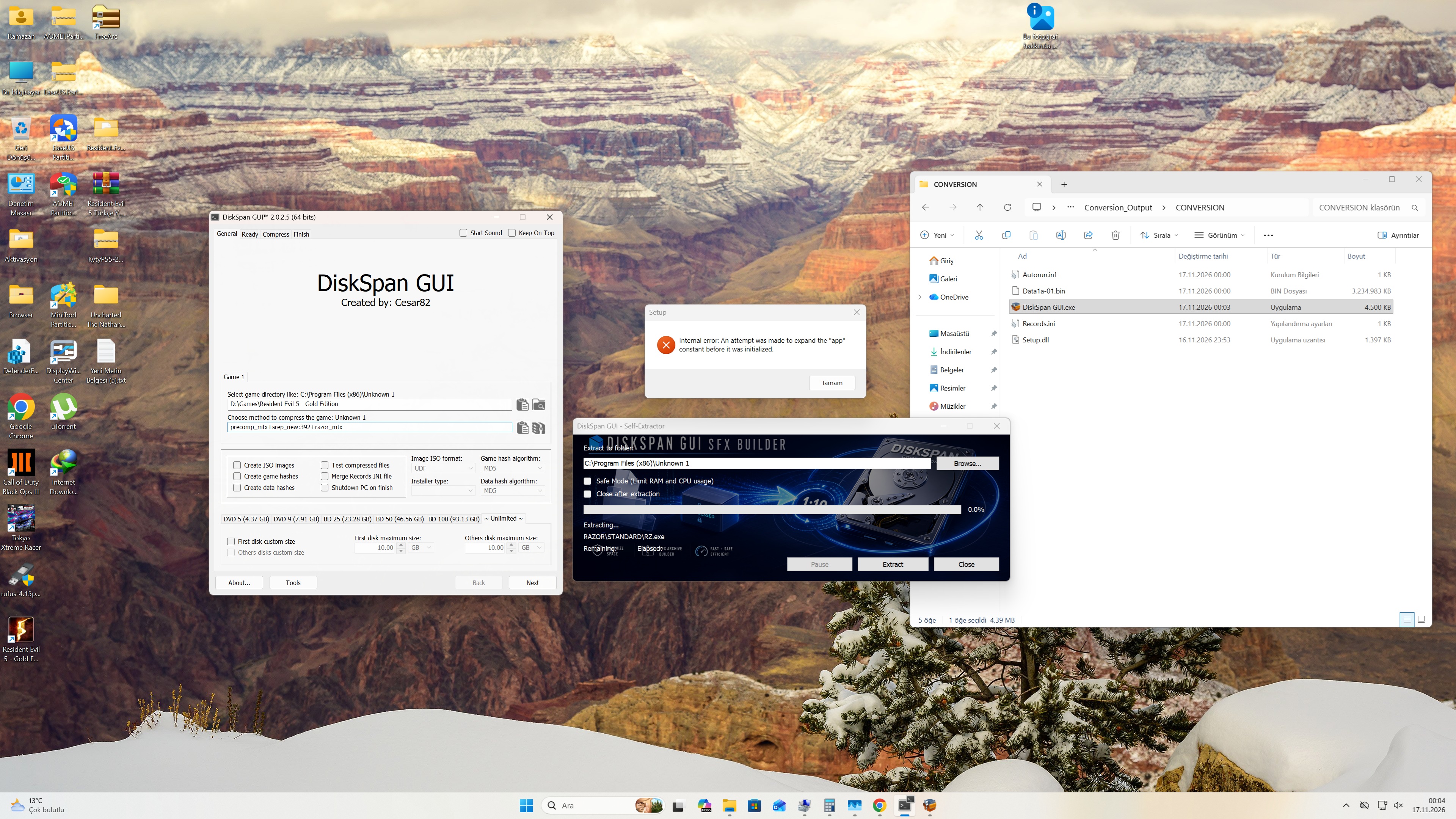 |
Probably a bug—my fault; I’ll look into it right away.