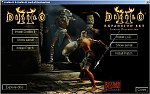
Diablo 2 and D2 : Lord of Destruction DVD5
1) Create a Temp folder on your harddrive.
Name this folder: Diablo2_DVD. This will be the name (Label) of our DVD.
2) Copy all the contents from CD1 [installdisc] to the Temp folder.
Rename INSTALL.EXE to INSTALL_DIABLO2.EXE
3) From CD2 [playdisc] copy all files to the same Temp folder [don't replace any files,
replace folders if needed]
4) From CD3 [cinematics] copy all files to the same Temp folder [don't replace any files, replace folders if needed]
5) From expansion disc [lord of destruction] copy INSTALL.EXE and SETUP.MPQ to harddisk but not into our Temp folder.
Open in any hex editor INSTALL.EXE from harddisk [that install.exe from expansion],
search for string 'SETUP.MPQ' and replace to 'SETUX.MPQ'
save and close.
rename INSTALL.EXE to INSTALL_LOD.EXE and move to Temp folder
rename SETUP.MPQ to SETUX.MPQ and move to Temp folder
6) Copy from Lord of Destruction all other files and folders to Temp folder.
Not replace any files [except BINKW32.DLL, dont copy install.exe]
Replace all folders
7) Open the AUTORUN.INF file in Diablo2 to look like this:
[autorun]
OPEN=INSTALL_DIABLO2.EXE
ICON=DIABLOII.ICO
or icon change to icon of expansion
8 ) Create another folder/s for any Updates, Serial, Patches and or Cracks etc.
NOTE: Name this/these folder/s whatever you want.
9) Burn the contents of the Temp folder to a DVD with the Label: Diablo2_DVD
menu for this conversion
autorun menu
download menu for d2 and d2lod
extract/put into image
replace all files
rename folder with patches to 'nodvd' -patches must in this subfolder and dont rename it use orginal name :
D2Patch_111b.exe
LODPatch_111b.exe
open serial_d2.txt add serial for diablo 2
open serial_lod.txt add serial for lord of destruction
that's all
my first menu , looks very badly...
im use for my conversion - dont need good looking menu but must be useable , all in one page
have start sound -the same like in orginal installer
have on click/on hover button sound - thes same like in orginal installer