CloneDVD2 – This will read the DVD Movie.
 Step 1:
 Refer to above Picture.
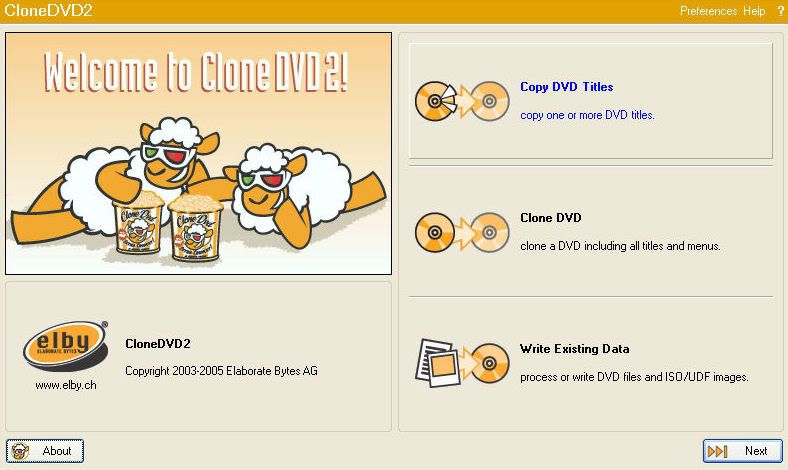
Start CloneDVD2 and Click the top button, the ‘Copy DVD Titles’ button. (Shown Above)
Note: I do this when I only want to copy the Main Movie! (Remembering AnyDVD will also be removing the extra’s.)
Click ‘Next’.
 Step 2:
 Refer to above Picture.
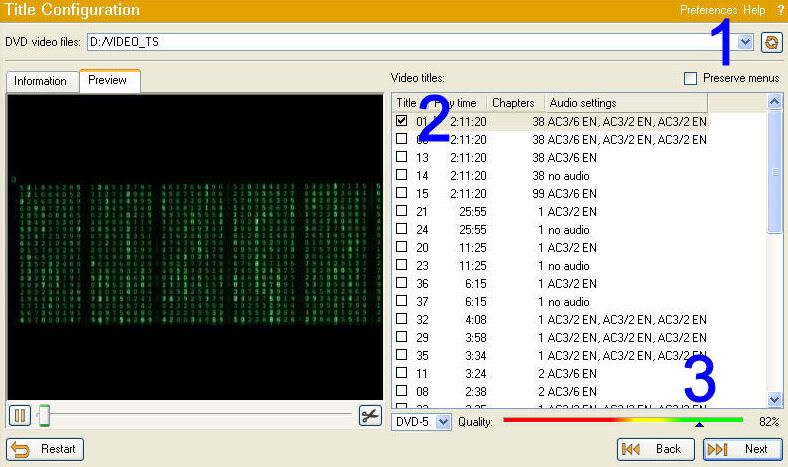
1. Use the little drop down arrow and choose the DVD drive which holds your movie.
2. Notice how only the main movie title is ticked!
3. Notice at this stage it is saying that our quality will be 82%. Anywhere in the green area of the quality bar is very good quality!!
4. Click ‘Next’.
 Step 3:
 Refer to above Picture.
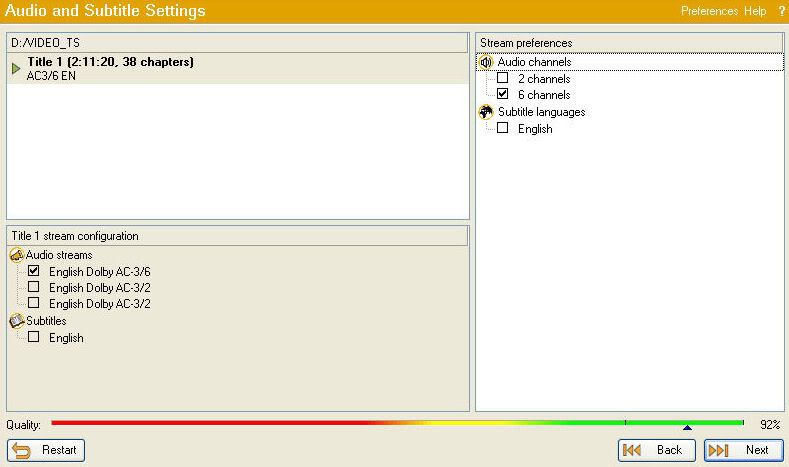
In this picture you will notice we only have the one Audio Stream ticked and the one Audio Channel.
We don’t want subtitles so its not ticked!
Click ‘Next’.
 Step 4:
 Refer to above Picture.
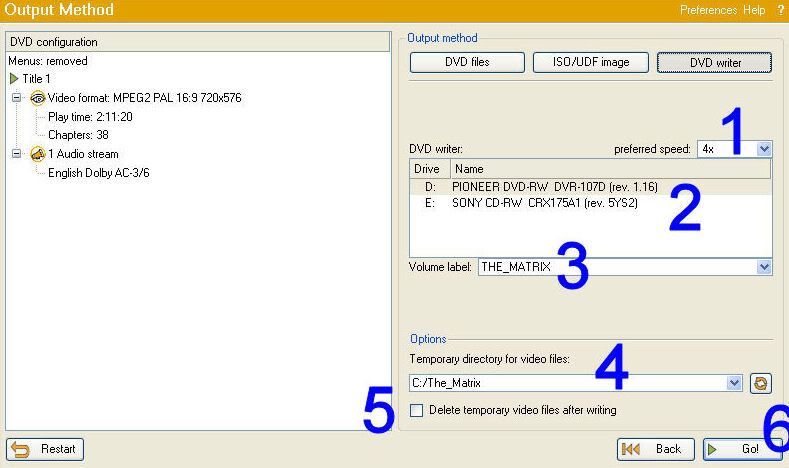
1. Choose your preferred Read speed. I ALWAYS use 4x!!
2. Choose your DVD Writer.
3. The DVD Label. Most times I just leave this as the default!
4. Choose where you would like to save the files.
NOTE: I always name the Save folder the same as the DVD Volume Label!!
This is so I remember the correct Label when I write the DVD later!
5. THE IMPORTANT PART!! UNTICK THE BOX!!
You DO NOT want to ‘Delete temporary video files after writing’!!!
So UNTICK THE BOX!!6. Click ‘GO’
CloneDVD2 will now read your Movie DVD. It will take approximately 12-15 minutes at 4x.
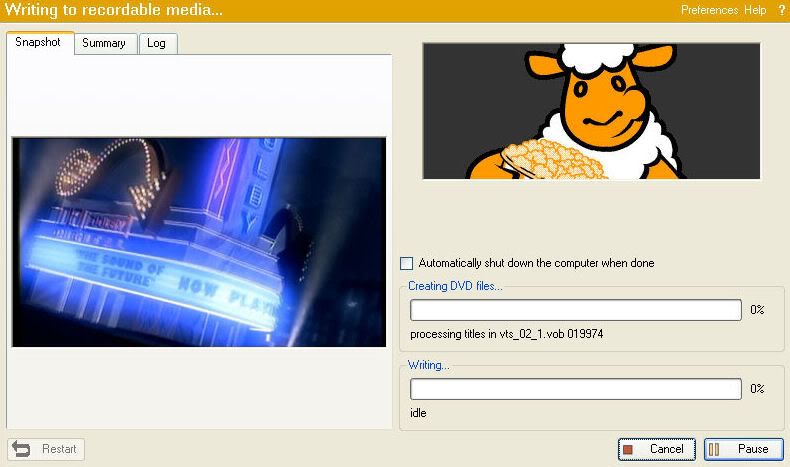 Step 5:
 Refer to above Picture.
When the reading has completed the DVD will eject and you will be prompted to insert a recordable media into the drive.
At this point I choose ‘Cancel’!! Yes that’s right ‘I choose Cancel!!’
That is the disc read completed.
You can close CloneDVD2 and exit AnyDVD. (CloneDVD probably closed when you chose ‘Cancel’)
Now to write our movie!